
A zero‑bloat WordPress plugin that lets you allow countries in one click. No upsells. No gimmicks. No frontend scripts. Just control.

Keep bandwidth, analytics, and security clean by allowing only the countries you care about.
Checks the visitor’s country before your site loads and blocks/redirects if they’re not allowed.
PHP‑only. No frontend JS. Optional remote IP lookup. Works with Cloudflare / Kinsta / Proxies / etc.
Site owners sick of being billed by their web host for junk traffic, login attacks, and fake analytics.
Turn enforcement on/off without uninstalling.
Default “Access Denied” page.
Lightweight table stores deny events (IP, country, path, UA, timestamp).
Clean, TopSyde‑styled settings panel.
Optionally remove settings + logs on uninstall.
Default is US‑only. Add as many ISO‑2 countries as you like.
Logged‑in admins never get blocked (so you can’t lock yourself out).
Whitelist single IPs or CIDR ranges (203.0.113.0/24).
Reads CF-Connecting-IP, X-Forwarded-For, HTTP_X_REAL_IP, Kinsta-Client-IP, etc.
If a host doesn’t expose geo headers, enables a one‑field lookup via ipapi.co.
Zero bloat. No asset payloads, no popups, no nags. Just a clean settings page.
Fast. Runs early. Doesn’t drag your TTFB or CLS.
Honest. No paid add‑ons, no “Pro upgrade” walls.
Accurate. Uses server‑provided IP headers (Cloudflare/Kinsta/XFF) before any remote lookup.
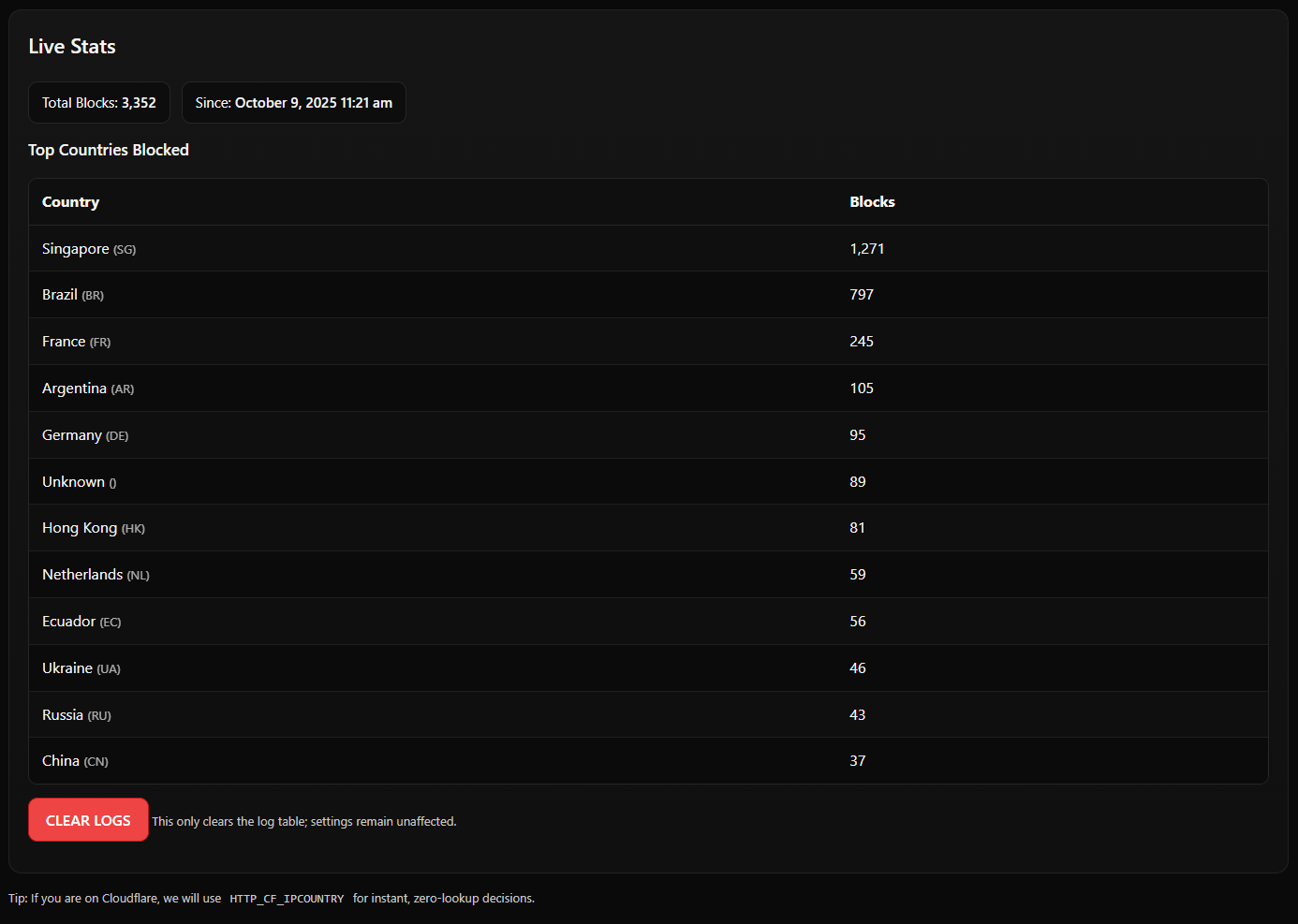
Visible. Built‑in block log and simple charts so you can see what’s getting denied.
This customer has a local business in Ohio (childcare) – yet was paying for 10X visits on their site from foreign countries completely unrelated to their customer base. Not anymore!

Country Lock Activated
Install & Activate: Upload to /wp-content/plugins/countrylock/ or install from the WP directory.
Go to: Settings → CountryLock.
Enable the toggle.
Choose Allowed Countries (start with US, add others as needed).
(Optional) Add your known office/home IPs to the IP Allowlist.
(Optional) If your host doesn’t pass geo headers, toggle Remote Lookup.
Tip: Behind Cloudflare? Make sure the CF‑Connecting‑IP header is enabled (default). You’re good.
Use a VPN to simulate traffic from a blocked country → you should see the Access Denied page.
Disable VPN → site loads normally.
Check Settings → CountryLock → Block Log to verify entries are recorded.
Seeing your own visits blocked?
You’re probably not logged in and your country isn’t on the allow list (or your IP is behind NAT/Proxy). Add your IP to Allowlist.
Geo detection seems wrong?
Some hosts hide the real client IP. Enable Remote Lookup or ask your host which client IP header is authoritative.
Cloudflare/Kinsta/Proxy setup
CountryLock checks multiple headers in order. If you use a custom proxy, ensure it sets X-Forwarded-For (client first) or X-Real-IP.
Caches/Performance plugins
CountryLock runs before templates; it plays nice with page cache. If a CDN is serving a cached HTML to everyone, enforce at the CDN too.
White‑labelling / Branding
Customize the block message in settings. (No frontend scripts required.)
CountryLock only logs IP (binary), country code, path, UA, timestamp.
If Remote Lookup is enabled, only the visitor IP is sent to ipapi.co for country resolution.
No personal data or site metadata is transmitted.
WordPress 6.0+
PHP 7.4+
Works with classic hosting, Cloudflare, and managed hosts (Kinsta, WP Engine, etc.)
Docs: You’re here.
Bug? Open an issue or contact us
Priority help? We offer white‑glove support under our hosting plans.

This isn’t hosting. This is active, expert management of your most important asset.
Included Pro Toolkit
Elite Platform
The Guarantee