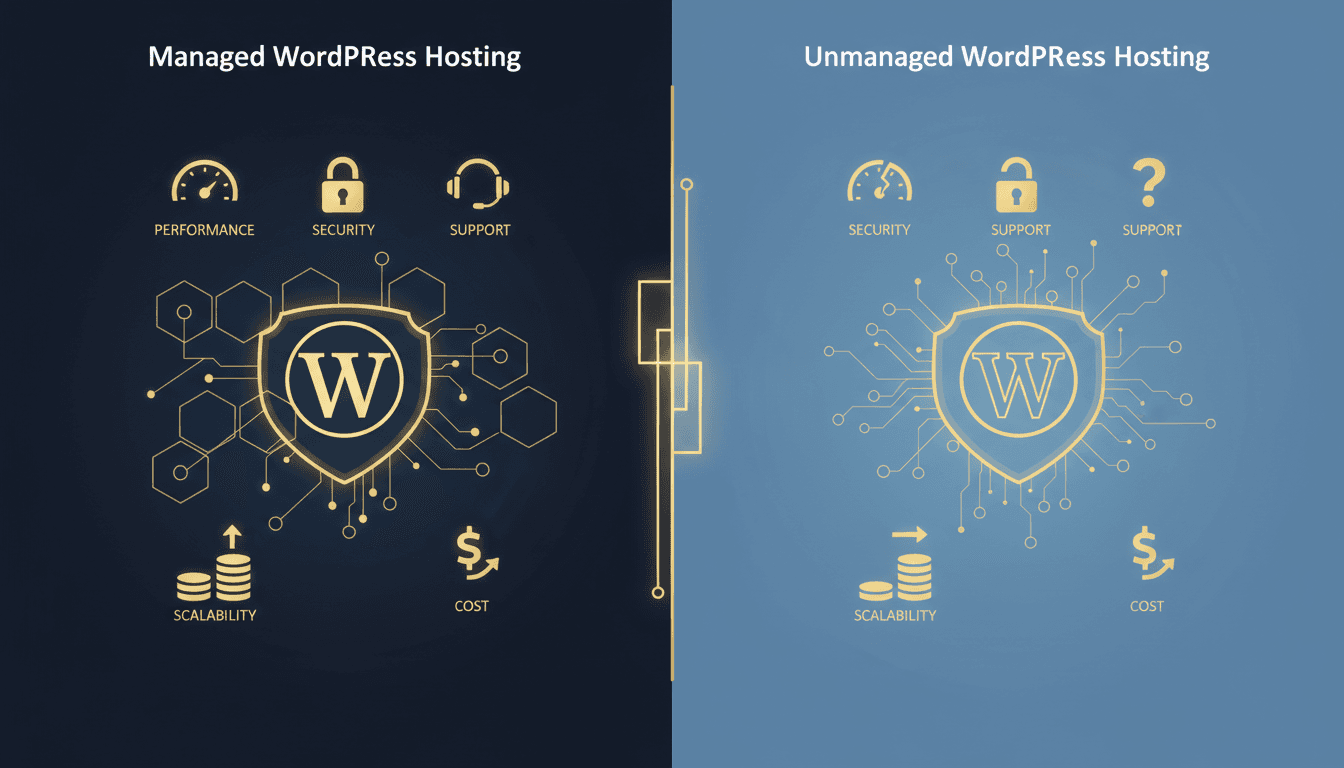
Managed WordPress hosting handles server maintenance, security, updates, backups, and performance optimization on your behalf. Unmanaged hosting gives you a bare server and full root access, so you handle everything yourself. The right choice depends on your technical ability, time budget, and how much you're willing to risk on self-maintained infrastructure.
Managed vs Unmanaged Hosting: The Quick Comparison
Before the details, here's how the two models compare across the factors that matter most:
| Factor | Managed WordPress Hosting | Unmanaged WordPress Hosting |
|---|---|---|
| Server setup | Pre-configured for WordPress | You install and configure everything |
| WordPress updates | Automatic with staging/rollback | Manual: you handle core, plugin, and theme updates |
| Security | WAF, malware scanning, patching included | You install and maintain your own security stack |
| Backups | Daily automated with one-click restore | You configure and verify backup systems |
| Performance | Server-level caching, CDN, PHP tuning | You tune NGINX/Apache, PHP, MySQL, and caching |
| Support | WordPress-expert support team | Generic server support (or none) |
| Scalability | Vertical and horizontal scaling handled | You provision, load-balance, and failover yourself |
| Cost | $30–$300+/mo depending on plan | $5–$50/mo for the server (plus your labor) |
| Control | Limited root access, opinionated stack | Full root access, any stack you want |
| Best for | Businesses, agencies, non-technical users | Developers, DevOps teams, hobbyists |
What Is Managed WordPress Hosting?
Managed WordPress hosting is a hosting model where the provider takes responsibility for the server environment, WordPress core and plugin updates, security hardening, backups, caching, and performance optimization. You manage your content and business logic, and the host manages everything underneath it.
A managed host typically provides:
- Automatic WordPress core and plugin updates, staged against a copy of your site and rolled back if something breaks
- Server-level caching (NGINX FastCGI or LiteSpeed cache configured out of the box, not through a plugin)
- A Web Application Firewall (WAF) that blocks malicious traffic before it reaches WordPress
- Daily automated backups with 30-day retention and one-click restore
- Staging environments, so you can clone your production site, test changes, and push live when ready
- CDN integration, with static assets served from edge nodes worldwide
- WordPress-specific support from engineers who understand WordPress internals rather than generic Linux sysadmins, backed by 24/7 automated monitoring
The tradeoff is reduced server-level control. Most managed hosts don't offer root SSH access and restrict certain plugins (like caching plugins that conflict with server-level caching). You're trading customization ceiling for operational reliability.
According to Review Signal's 2025 WordPress Hosting Performance Benchmarks, managed WordPress hosts delivered a median Time to First Byte (TTFB) of 98ms compared to 340ms for unmanaged shared hosting, a 71% improvement in server responsiveness.
What Is Unmanaged WordPress Hosting?
Unmanaged hosting (also called self-managed or bare-metal hosting) gives you a Linux server, typically a VPS or dedicated machine, with root access and no WordPress-specific tooling. You install the operating system, web server, PHP, MySQL, and WordPress yourself. You configure the firewall, set up SSL, install caching layers, manage backups, and handle every update.
Common unmanaged hosting providers include DigitalOcean, Linode (Akamai), Hetzner, Vultr, and AWS EC2 (self-managed).
Unmanaged hosting gives you:
- Full root access: install anything, configure everything, no restrictions
- Your choice of stack, whether that's NGINX, Apache, LiteSpeed, Caddy, or OpenLiteSpeed
- Lower base cost, since a capable VPS runs $5–$50/month
- Custom scaling architecture, where you design your own load balancer, database replication, and failover setup
- No opinionated restrictions: run any plugin, any version of PHP, any server software
The tradeoff is total responsibility. Every security patch, every backup verification, every SSL renewal, every plugin compatibility check lands on you. There is no safety net. If your backup script failed three months ago without warning, you find out the day you need it.
Performance Comparison
Server performance has two dimensions: baseline speed (TTFB, resource allocation) and sustained performance under load.
On baseline speed, managed hosts optimize their server stacks for WordPress exclusively. PHP OPcache is pre-tuned, MySQL/MariaDB has WordPress-optimized query caching, and server-level page caching serves most requests without hitting PHP at all. According to WP Starter Benchmark (2025), managed WordPress hosts scored an average PageSpeed performance score of 92 compared to 71 for self-configured VPS setups running default configurations.
Sustained performance is a different problem. Managed hosts provision resources per site and implement auto-scaling or burst capacity. On unmanaged hosting, a traffic spike hits your ceiling hard, and unless you've configured horizontal scaling, your site crashes or slows to a crawl.
The performance gap narrows with skilled DevOps engineers. A well-tuned NGINX + Redis + PHP-FPM stack on a VPS can match or outperform managed hosting. But "well-tuned" requires hours of configuration, ongoing maintenance, and load testing, which is what managed hosting abstracts away.
At TopSyde, every site runs on dedicated Google C3D compute instances with 12 CPUs, 8 GB RAM, and 24+ PHP workers, delivering consistent sub-100ms TTFB without requiring any server configuration on your part.
Security Comparison
WordPress is the most attacked CMS on the internet. Sucuri's 2025 report found that 98% of compromised WordPress sites had at least one known vulnerability that a patch was already available for. The difference between managed and unmanaged hosting is whether that patch gets applied before or after the breach.
Managed hosting security features include WAF rules updated in real-time against new CVEs, automated WordPress core and plugin patching, malware scanning with automatic cleanup, DDoS protection at the network edge, brute-force protection with server-level rate limiting, and isolated site environments so one compromised site doesn't affect others.
On unmanaged hosting, that list becomes your to-do list:
- You configure
iptablesorufwfirewall rules - You install and maintain Fail2Ban for brute-force protection
- You set up ModSecurity or similar WAF, and keep the rules updated
- You monitor access logs for suspicious activity
- You patch WordPress, plugins, and server software manually
- You run malware scans and handle cleanup yourself
For agencies managing 10+ client sites on unmanaged hosting, security maintenance alone can consume 20+ hours per month. A single missed plugin update on a single site can lead to a breach that compromises client data and your agency's reputation.
Support Comparison
Managed hosting support teams specialize in WordPress. When you submit a ticket saying "my WooCommerce checkout is throwing a 500 error after updating to PHP 8.3," a managed host's engineer understands the full context: PHP version compatibility, plugin conflicts, OPcache invalidation, database connection limits.
Unmanaged hosting support (if it exists) covers the server layer only. They'll confirm your VPS is running, verify network connectivity, and replace failed hardware. Anything above the hypervisor, including your web server config, PHP tuning, and WordPress issues, is your problem.
According to Jetwing's 2025 Hosting Satisfaction Survey, managed WordPress hosting customers reported 87% satisfaction with support interactions compared to 34% for unmanaged VPS customers.
Cost Comparison
Unmanaged hosting wins on sticker price. A capable VPS from DigitalOcean or Hetzner costs $5–$48/month. Managed WordPress hosting ranges from $30–$300+/month depending on the provider and plan.
But sticker price ignores the biggest cost: your time.
Maintaining a self-managed WordPress server requires 5–10 hours/month per site for updates, backups, monitoring, and security patching. Qualified DevOps or WordPress engineers run $50–$150+/hour. Then there's incident response time, which tends to arrive at 2 AM.
For a freelancer running their own portfolio site, self-managed hosting is cost-effective. For an agency managing 10 client sites, the math changes dramatically: 10 sites × 8 hours/month × $75/hour = $6,000/month in labor versus $890/month for managed hosting across all 10 sites on TopSyde.
The break-even point is clear: if your time is worth more than $15/hour, managed hosting saves money by the second site.
Scalability Comparison
Managed hosting scalability is vertical (bigger resources, more PHP workers) and often automatic. Traffic spikes from a viral post or product launch get absorbed by burst capacity or auto-scaling infrastructure. You don't provision anything; the platform handles it.
Unmanaged hosting scalability requires architecture work. You need to:
- Set up a load balancer (HAProxy, NGINX, or cloud LB)
- Configure shared session storage (Redis, Memcached)
- Implement shared file storage for uploads (NFS, S3, GlusterFS)
- Set up database replication (MySQL primary-replica)
- Build deployment pipelines that push to multiple servers
This architecture is powerful and flexible, and it's also a significant engineering investment. If your team already has this infrastructure in place, unmanaged hosting gives you more control over scaling behavior. If you're starting from scratch, managed hosting gets you scalable infrastructure without the engineering overhead.
When to Choose Managed WordPress Hosting
Managed hosting is the right choice when you run a business or agency and your time is better spent on revenue-generating work than server maintenance. It's also the right choice when you manage client sites, where SLAs and reputation depend on uptime, security, and fast support response.
Beyond that, it fits if you're not a server administrator and don't want to become one, if you need predictable costs instead of variable labor plus surprise incident bills, or if uptime is critical (e-commerce stores, membership sites, and lead generation sites where downtime costs real money). Managed hosts also typically handle PCI DSS hosting requirements, data encryption, and access controls, which helps if you need compliance-ready infrastructure.
Most businesses, agencies, and professional site owners should default to managed hosting. The monthly cost is predictable, the security is handled, and you reclaim 15–20 hours per month per site.
When to Choose Unmanaged WordPress Hosting
Unmanaged hosting is the right choice when you have dedicated DevOps staff: someone whose job includes server maintenance, not a developer pulled off feature work. It also fits when you need custom server configurations, such as specific PHP extensions, non-standard software stacks, or kernel-level customizations.
The same goes for high-traffic architectures with custom load balancing, database sharding, or edge computing. And if budget is the primary constraint, as with a personal blog or side project where your time is essentially free, the cheaper server wins. Some developers also prefer managing their own infrastructure and are good at it.
A hobbyist running a personal blog on a $6/month DigitalOcean droplet is a perfectly valid use case. An agency running 15 client sites on a single unmanaged VPS while the lead developer handles server maintenance between feature sprints is not.
The Verdict
For the majority of WordPress site owners, including businesses, agencies, freelancers with clients, and anyone who values their time, managed WordPress hosting is the better investment. The upfront cost is higher, but the total cost of ownership is lower when you factor in labor, incident response, and the opportunity cost of server maintenance.
Unmanaged hosting makes sense in a narrow set of scenarios: dedicated DevOps teams, custom infrastructure requirements, or purely budget-constrained personal projects.
The managed hosting market has matured significantly. Providers like TopSyde now deliver the performance and flexibility that previously required self-managed infrastructure (sub-100ms TTFB, staging environments, server-level caching, full CDN integration, and automated security) at a price point that pays for itself in recovered labor hours within the first month.
If you're still managing your own WordPress servers and wondering whether it's worth it, calculate your time spent. Most people are surprised.
Keep Reading on TopSyde
- Agency Client Retention: How Better Hosting Reduces Churn by 40%: Discover how premium WordPress hosting helps agencies retain clients longer and increase MRR through proactive monitoring, white-label dashboards, and care plan packaging.
- AI-Powered WordPress Monitoring: What It Is and Why It Matters: AI WordPress monitoring catches problems before they cost you customers. Learn how intelligent monitoring differs from basic uptime checks and saves businesses money.
- Is Managed WordPress Hosting Worth the Extra Cost?: A full ROI breakdown of when managed WordPress hosting pays for itself and when it doesn't. Real numbers, overlooked costs, and buyer profiles.
- WordPress Hosting for Freelancers: Stop Babysitting Servers: Freelance web developers lose 10+ hours weekly on server admin. Discover how managed WordPress hosting frees your time and creates new revenue streams.
- Full technical spec sheet
- Our infrastructure stack
Frequently Asked Questions
Is managed WordPress hosting worth the higher price?
Yes, for most use cases. Managed hosting eliminates 15–20 hours/month of server maintenance per site (Jetwing, 2025). At even a modest hourly rate, the labor savings exceed the hosting cost by the second site. Managed hosting also reduces security risk, since 98% of WordPress breaches exploit vulnerabilities that managed hosts patch automatically (Sucuri, 2025).
Can I switch from unmanaged to managed hosting?
Yes. Most managed WordPress hosts offer free migration from any existing hosting environment. TopSyde includes white-glove migration with every plan, so we handle the entire transfer, DNS cutover, and post-migration verification with zero downtime.
Do managed hosts restrict what plugins I can use?
Some managed hosts restrict plugins that conflict with their server-level optimizations, typically caching plugins (since caching is handled at the server) and certain security plugins (since security is handled at the infrastructure layer). It isn't a limitation. It's replacing plugin-based solutions with faster, more reliable server-level alternatives.
Is unmanaged hosting faster than managed hosting?
Not by default. A properly configured managed WordPress host outperforms a default VPS configuration by 40% or more on TTFB (Review Signal, 2025). A heavily optimized unmanaged server can match managed hosting performance, but achieving that requires significant DevOps expertise and ongoing maintenance.
Can I get root access on managed WordPress hosting?
Most managed hosts restrict root SSH access to maintain environment stability and security. Some offer SSH access with limited sudo privileges. If you need full root access for custom software installations or kernel-level configurations, unmanaged hosting is the better fit. For standard WordPress operations such as WP-CLI, deployments, and file management, managed hosting SSH access is sufficient.
How do managed hosts handle WordPress updates?
Quality managed hosts test updates in a staging environment before applying them to production. If an update causes a conflict (plugin incompatibility, theme break, PHP deprecation), it's flagged and rolled back automatically. That works differently from WordPress's built-in auto-update feature, which applies updates directly to production with no safety net.

Founder & Lead Developer
20+ years full-stack development, WordPress, AI tools & agents
Colton is the founder of TopSyde with 20+ years of full-stack development experience spanning WordPress, cloud infrastructure, and AI-powered tooling. He specializes in performance optimization, server architecture, and building AI agents for automated site management.