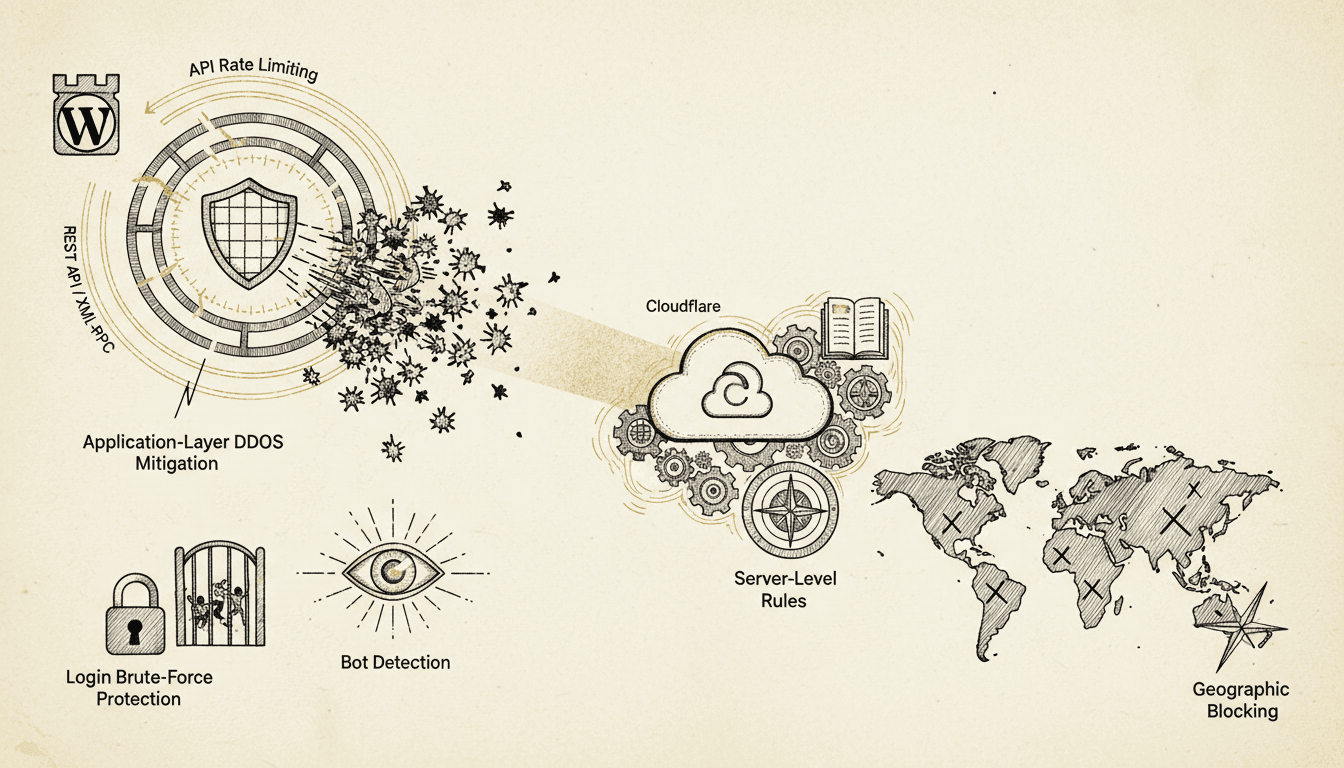

WordPress API rate limiting protects your site from abuse, DDoS attacks, and resource exhaustion by controlling request frequency from individual IP addresses and user agents. Proper rate limiting and DDoS protection keep the site fast and shut down unauthorized access attempts before they get anywhere.
What is WordPress API Rate Limiting?
WordPress API rate limiting is a security mechanism that restricts the number of requests a client can make to your WordPress REST API or XML-RPC endpoints within a specific time window. According to Sucuri's 2024 Website Security Report, API abuse accounts for 23% of all WordPress attacks, which makes rate limiting a critical defense layer.
Rate limiting operates at multiple levels:
- Per-endpoint limits, because different APIs have different sensitivity levels
- Per-IP restrictions, which stop an individual attacker from overwhelming resources
- Global limits, which protect against distributed attacks
- User-based throttling, where authenticated users may have higher limits
The WordPress REST API, introduced in version 4.7, exposes numerous endpoints that can be exploited without proper protection. XML-RPC, while largely deprecated, remains enabled by default and presents significant security risks due to its amplification capabilities.
How WordPress REST API Rate Limiting Works
WordPress REST API rate limiting controls access to endpoints like /wp-json/wp/v2/posts, /wp-json/wp/v2/users, and custom plugin endpoints. Implementation requires both server-level and application-level controls.
Core REST API Endpoints and Risk Levels
| Endpoint | Risk Level | Suggested Limit | Reason |
|---|---|---|---|
/wp-json/wp/v2/posts | Medium | 500/hour | Content scraping potential |
/wp-json/wp/v2/users | High | 100/hour | User enumeration attacks |
/wp-json/wp/v2/media | Medium | 200/hour | Resource intensive |
| Custom plugin APIs | Variable | 50-1000/hour | Depends on functionality |
Server-Level Implementation
Configure rate limiting in your web server before requests reach WordPress:
Nginx Configuration:
# Rate limiting zones
http {
    limit_req_zone $binary_remote_addr zone=api_general:10m rate=10r/m;
    limit_req_zone $binary_remote_addr zone=api_sensitive:10m rate=2r/m;

    # Apply to WordPress API endpoints
    location ~ ^/wp-json/wp/v2/users {
        limit_req zone=api_sensitive burst=5 nodelay;
        try_files $uri $uri/ /index.php?$args;
    }

    location ~ ^/wp-json/ {
        limit_req zone=api_general burst=20 nodelay;
        try_files $uri $uri/ /index.php?$args;
    }
}
Apache .htaccess:
<IfModule mod_rewrite.c>
    RewriteEngine On

    # Block excessive API requests
    RewriteCond %{REQUEST_URI} ^/wp-json/wp/v2/users
    RewriteCond %{HTTP:X-Forwarded-For} ^(.*)$
    RewriteRule ^(.*)$ - [E=CLIENT_IP:%1,F]
</IfModule>
Application-Level Rate Limiting
WordPress plugins provide granular control over API access patterns:
// Custom rate limiting function
function custom_api_rate_limit($request) {
    $ip = $_SERVER['REMOTE_ADDR'];
    $endpoint = $request->get_route();

    // Check current request count
    $current_count = get_transient('api_limit_' . md5($ip . $endpoint));

    if ($current_count >= get_endpoint_limit($endpoint)) {
        return new WP_Error(
            'rate_limit_exceeded',
            'Rate limit exceeded. Try again later.',
            array('status' => 429)
        );
    }

    // Increment counter
    set_transient('api_limit_' . md5($ip . $endpoint), $current_count + 1, HOUR_IN_SECONDS);

    return $request;
}

add_filter('rest_pre_dispatch', 'custom_api_rate_limit', 10, 3);
XML-RPC Security and Rate Limiting
XML-RPC presents unique security challenges because it can execute multiple commands in a single request, which creates amplification opportunities for attackers. According to Wordfence's 2024 Attack Report, XML-RPC abuse increased by 34% compared to the previous year.
XML-RPC Attack Vectors
XML-RPC enables several high-impact attacks:
- Amplification attacks, where a single request triggers hundreds of operations
- Brute force multiplication, since
system.multicallallows testing multiple passwords per request - Pingback abuse, exploited for DDoS reflection attacks
- Resource exhaustion, where complex operations consume excessive server resources
Disabling XML-RPC Completely
The safest approach is complete XML-RPC disabling unless something on the site specifically requires it:
// functions.php
add_filter('xmlrpc_enabled', '__return_false');

// Remove RSD link
remove_action('wp_head', 'rsd_link');

// Block XML-RPC requests at server level
add_action('init', function() {
    if (defined('XMLRPC_REQUEST') && XMLRPC_REQUEST) {
        http_response_code(403);
        exit('XML-RPC disabled for security');
    }
});
XML-RPC Rate Limiting When Required
If XML-RPC functionality is necessary, implement strict rate limiting:
function xmlrpc_rate_limit($methods) {
    $ip = $_SERVER['REMOTE_ADDR'];
    $current_count = get_transient('xmlrpc_limit_' . md5($ip));

    if ($current_count >= 5) { // 5 requests per hour
        status_header(429);
        exit('XML-RPC rate limit exceeded');
    }

    set_transient('xmlrpc_limit_' . md5($ip), $current_count + 1, HOUR_IN_SECONDS);
    return $methods;
}

add_filter('xmlrpc_methods', 'xmlrpc_rate_limit');
Application-Layer DDoS Protection Strategies
Application-layer DDoS attacks target WordPress-specific vulnerabilities and require specialized protection beyond network-level filtering. These attacks often look like legitimate HTTP requests, but they overwhelm application resources through expensive operations.
Identifying Application-Layer Attacks
Monitor these patterns indicating application-layer DDoS:
- High CPU usage with moderate network traffic
- Database connection exhaustion
- Memory consumption spikes
- Slow response times for specific endpoints
- Unusual request patterns to resource-intensive pages
WordPress-Specific Protection Measures
Query Complexity Limiting:
function limit_expensive_queries($query) {
    // Prevent complex taxonomy queries
    if (is_admin() || is_ajax()) return $query;

    if ($query->is_main_query()) {
        // Limit meta queries
        if (count($query->get('meta_query', [])) > 3) {
            $query->set('meta_query', []);
        }

        // Limit posts per page for expensive queries
        if ($query->get('post_type') === 'product') {
            $query->set('posts_per_page', min($query->get('posts_per_page', 10), 20));
        }
    }

    return $query;
}
add_action('pre_get_posts', 'limit_expensive_queries');
Resource-Intensive Endpoint Protection:
function protect_expensive_endpoints() {
    $expensive_endpoints = [
        '/wp-admin/admin-ajax.php',
        '/wp-cron.php',
        '/?s=', // Search queries
    ];

    $request_uri = $_SERVER['REQUEST_URI'];

    foreach ($expensive_endpoints as $endpoint) {
        if (strpos($request_uri, $endpoint) !== false) {
            $ip = $_SERVER['REMOTE_ADDR'];
            $key = 'expensive_' . md5($ip . $endpoint);

            if (get_transient($key) > 10) { // 10 requests per 5 minutes
                http_response_code(429);
                exit('Rate limit exceeded for resource-intensive operation');
            }

            set_transient($key, get_transient($key) + 1, 300);
        }
    }
}
add_action('init', 'protect_expensive_endpoints', 1);
Cloudflare Integration for WordPress Protection
Cloudflare provides comprehensive protection against DDoS attacks and API abuse through its Web Application Firewall (WAF) and rate limiting features. Proper configuration requires understanding WordPress-specific attack patterns and legitimate traffic flows.
Cloudflare Rate Limiting Rules
Configure Cloudflare rate limiting for WordPress-specific endpoints:
// Cloudflare Workers script for advanced rate limiting
addEventListener('fetch', event => {
    event.respondWith(handleRequest(event.request))
})

async function handleRequest(request) {
    const url = new URL(request.url)

    // WordPress API protection
    if (url.pathname.startsWith('/wp-json/')) {
        const rateLimitResult = await checkRateLimit(request, 'api', 100, 3600)
        if (!rateLimitResult.allowed) {
            return new Response('API rate limit exceeded', { status: 429 })
        }
    }

    // XML-RPC protection
    if (url.pathname === '/xmlrpc.php') {
        const rateLimitResult = await checkRateLimit(request, 'xmlrpc', 5, 3600)
        if (!rateLimitResult.allowed) {
            return new Response('XML-RPC blocked', { status: 403 })
        }
    }

    return fetch(request)
}
WAF Rules for WordPress
The Cloudflare WAF rules worth having on every WordPress site:
| Rule Type | Pattern | Action | Reason |
|---|---|---|---|
| Rate Limiting | /wp-login.php | Block after 5/hour | Brute force protection |
| Custom Rule | XML-RPC requests | Block | Disable XML-RPC completely |
| Managed Rules | WordPress ruleset | Challenge/Block | Common attack patterns |
| Bot Fight Mode | Automated traffic | Challenge | Bot detection |
Geographic and ASN Blocking
Implement geographic restrictions based on your audience:
// WordPress function to check visitor location
function check_geographic_restrictions() {
    if (is_admin()) return; // Don't block admin access

    $visitor_country = $_SERVER['HTTP_CF_IPCOUNTRY'] ?? '';
    $blocked_countries = ['CN', 'RU', 'KP']; // Adjust based on your needs

    if (in_array($visitor_country, $blocked_countries)) {
        // Log the attempt
        error_log("Blocked access from {$visitor_country}: {$_SERVER['REMOTE_ADDR']}");

        http_response_code(403);
        exit('Access denied from your location');
    }
}
add_action('init', 'check_geographic_restrictions');
Login Brute-Force Protection Implementation
WordPress login brute-force attacks remain one of the most common attack vectors. According to Jetpack's security data from 2024, brute-force attacks account for 78% of all WordPress security incidents. Effective protection requires progressive delays, IP blocking, and CAPTCHA integration.
Progressive Delay Implementation
Implement escalating delays for failed login attempts:
function implement_login_delays($username, $password) {
    $ip = $_SERVER['REMOTE_ADDR'];
    $attempts_key = 'login_attempts_' . md5($ip);
    $current_attempts = get_transient($attempts_key) ?: 0;

    // Progressive delays
    $delay_map = [
        1 => 2,    // 2 seconds after 1st failure
        2 => 5,    // 5 seconds after 2nd failure
        3 => 15,   // 15 seconds after 3rd failure
        4 => 60,   // 1 minute after 4th failure
        5 => 300,  // 5 minutes after 5th failure
    ];

    if ($current_attempts >= 1 && isset($delay_map[$current_attempts])) {
        $delay = $delay_map[$current_attempts];

        // Check if delay period has passed
        $last_attempt_key = 'last_login_attempt_' . md5($ip);
        $last_attempt = get_transient($last_attempt_key);

        if ($last_attempt && (time() - $last_attempt) < $delay) {
            wp_die(
                sprintf('Too many failed attempts. Try again in %d seconds.',
                    $delay - (time() - $last_attempt)),
                'Login Temporarily Blocked',
                ['response' => 429]
            );
        }
    }

    // Record this attempt time
    set_transient('last_login_attempt_' . md5($ip), time(), 3600);
}

add_action('wp_authenticate', 'implement_login_delays', 30, 2);
IP Blocking After Multiple Failures
Implement automatic IP blocking for persistent attackers:
function handle_failed_login($username) {
    $ip = $_SERVER['REMOTE_ADDR'];
    $attempts_key = 'login_attempts_' . md5($ip);
    $blocked_key = 'blocked_ip_' . md5($ip);

    // Increment failed attempts
    $attempts = get_transient($attempts_key) ?: 0;
    $attempts++;
    set_transient($attempts_key, $attempts, HOUR_IN_SECONDS);

    // Block IP after 10 failed attempts
    if ($attempts >= 10) {
        set_transient($blocked_key, time(), DAY_IN_SECONDS);

        // Log the block
        error_log("IP blocked for excessive login attempts: {$ip}");

        // Optional: Send notification
        wp_mail(
            get_option('admin_email'),
            'IP Blocked - Excessive Login Attempts',
            "IP {$ip} has been blocked for 24 hours due to {$attempts} failed login attempts."
        );
    }
}

add_action('wp_login_failed', 'handle_failed_login');

// Check for blocked IPs
function check_blocked_ip() {
    if (strpos($_SERVER['REQUEST_URI'], 'wp-login') !== false ||
        strpos($_SERVER['REQUEST_URI'], 'wp-admin') !== false) {

        $ip = $_SERVER['REMOTE_ADDR'];
        $blocked_key = 'blocked_ip_' . md5($ip);

        if (get_transient($blocked_key)) {
            http_response_code(403);
            exit('IP temporarily blocked due to suspicious activity');
        }
    }
}
add_action('init', 'check_blocked_ip', 1);
Bot Detection and Traffic Analysis
Modern bot detection requires analyzing multiple signals beyond simple user-agent strings. Sophisticated bots can mimic legitimate browsers
Keep Reading on TopSyde
- AI-Powered WordPress Monitoring: What It Is and Why It Matters: AI WordPress monitoring catches problems before they cost you customers. Learn how intelligent monitoring differs from basic uptime checks and saves businesses money.
- Why Your WooCommerce Store Needs Managed Hosting (Not Shared): Shared hosting kills WooCommerce sales with slow checkouts and downtime. See why managed hosting protects e-commerce revenue and customer retention.
- WordPress Hosting for Freelancers: Stop Babysitting Servers: Freelance web developers lose 10+ hours weekly on server admin. Discover how managed WordPress hosting frees your time and creates new revenue streams.
- Migrate from GoDaddy to Managed WordPress Hosting: What to Expect: Discover what happens when you migrate from GoDaddy to managed WordPress hosting. See real performance gains, avoid common pitfalls, and get expert migration support.
- Full technical spec sheet
- Our infrastructure stack
Topics

Content & SEO Strategist
7+ years SEO & content strategy, Google Analytics certified
Elena drives content strategy and SEO at TopSyde, helping clients maximize organic visibility and AI search presence. She combines technical WordPress knowledge with data-driven content optimization.