
Headless WordPress decouples the content management backend from the presentation layer, allowing developers to build custom frontends using modern JavaScript frameworks while maintaining WordPress's content editing experience. This architecture separates data delivery through APIs from how that data gets displayed to users.
What Is Headless WordPress?
Headless WordPress transforms your WordPress installation into a pure content management system by removing the traditional theme layer. Instead of WordPress rendering HTML pages, it serves structured data through APIs that custom-built frontends consume and display.
The "head" refers to the presentation layer: the templates, themes, and frontend code that users see. By removing this head, you gain complete control over how content appears while keeping WordPress's familiar admin interface for content creators.
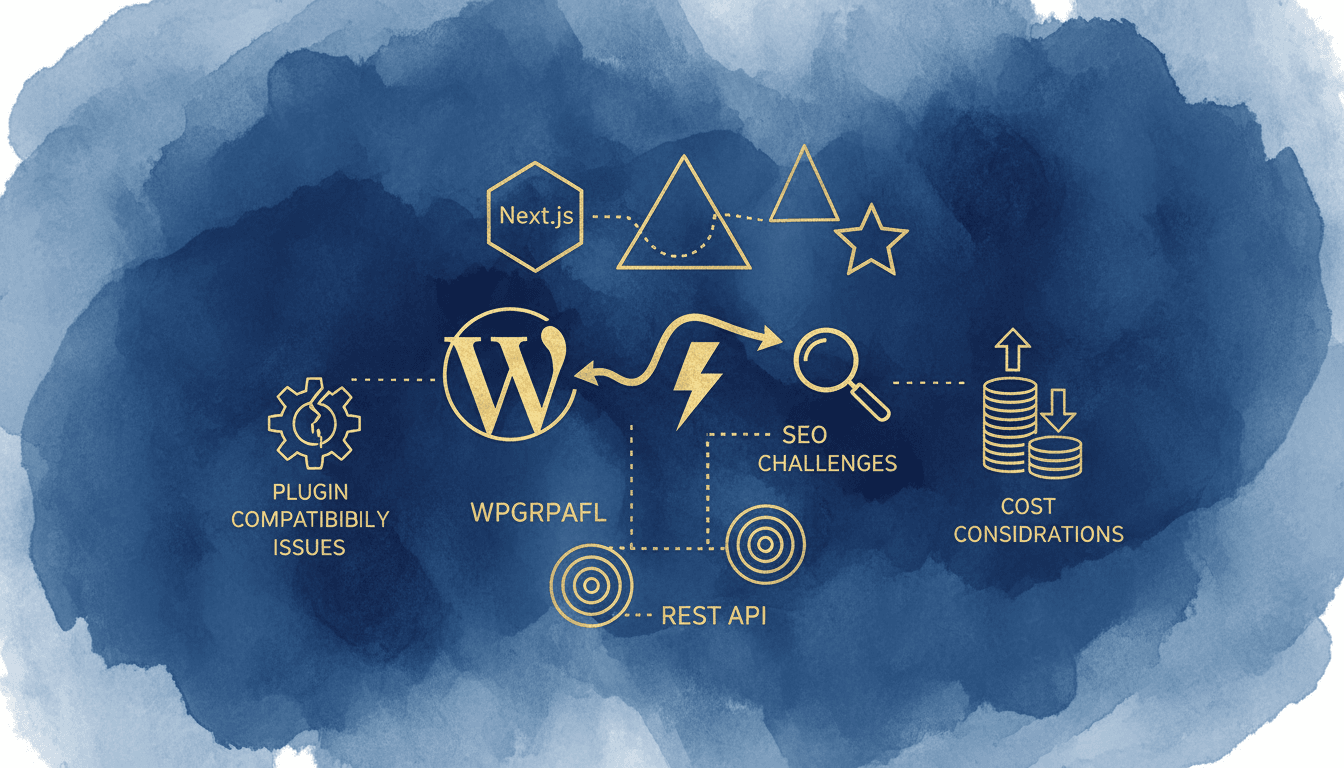
This architecture requires two separate applications: WordPress handling content management and API delivery, plus a custom frontend application built with frameworks like Next.js, Gatsby, or Astro. The frontend fetches content through WordPress's REST API or WPGraphQL, then renders it using modern web technologies.
According to Jamstack.org's 2024 survey, 34% of developers report using headless CMSs for performance benefits, while 28% cite developer experience improvements as their primary motivation.
WPGraphQL vs WordPress REST API
WordPress offers two primary methods for headless implementations: the built-in REST API and the WPGraphQL plugin. Each serves different use cases and comes with distinct advantages.
The WordPress REST API provides RESTful endpoints for all WordPress data types. It's been included in WordPress core since version 4.7, requires no additional plugins, and offers predictable URL structures. However, it suffers from over-fetching: requesting a post returns all fields whether you need them or not.
WPGraphQL offers more efficient data fetching through its query-based approach. You request exactly the fields needed, reducing bandwidth and improving performance. It also provides better relationship handling between posts, users, and custom fields.
| Feature | REST API | WPGraphQL |
|---|---|---|
| Setup Complexity | Native to WordPress | Requires plugin installation |
| Data Fetching | Fixed endpoints, over-fetching | Query-based, precise data |
| Learning Curve | Familiar REST concepts | GraphQL query language |
| Caching | Standard HTTP caching | Query-level caching possible |
| Community Support | Extensive documentation | Growing ecosystem |
| Performance | Good with proper caching | Superior for complex queries |
WPGraphQL excels when building complex frontends requiring nested data relationships. The REST API works better for simple content delivery or when working with developers unfamiliar with GraphQL concepts.
Frontend Framework Options
Modern JavaScript frameworks offer different approaches to building headless WordPress frontends, each with specific strengths for different project requirements.
Next.js provides the most comprehensive solution with built-in server-side rendering, static site generation, and incremental static regeneration. It handles SEO challenges better than client-side-only frameworks and offers excellent performance through automatic code splitting and image optimization.
Gatsby specializes in static site generation, pre-building all pages at compile time. This approach delivers exceptional performance but requires rebuilding the entire site when content changes. Gatsby's plugin library includes specific WordPress integrations and GraphQL optimizations.
Astro focuses on shipping minimal JavaScript to browsers while supporting multiple framework components within the same project. It offers excellent performance for content-heavy sites and allows mixing React, Vue, or Svelte components as needed.
According to the State of JS 2024 survey, Next.js maintains 89% developer satisfaction for React-based projects, while Astro leads static site generators with 94% satisfaction among users building content-focused applications.
Performance Benefits and Considerations
Headless WordPress implementations can deliver significant performance improvements through static generation, optimized caching, and reduced server processing overhead. However, these benefits require careful architecture planning and proper implementation.
Static site generation pre-builds pages at deployment time, eliminating database queries and PHP processing for most requests. This approach can reduce Time to First Byte (TTFB) from 800ms+ on traditional WordPress to under 100ms for static pages.
Content Delivery Network (CDN) optimization becomes more effective with headless setups since generated assets remain consistent across deployments. Modern frameworks automatically optimize images, minify code, and implement efficient caching strategies.
The performance gains depend heavily on your content update frequency and complexity. Sites requiring real-time content updates lose many static generation benefits, while content-heavy sites with infrequent changes see the most dramatic improvements.
For optimal performance in headless setups, consider our WordPress CDN setup guide and speed optimization techniques that remain relevant for the WordPress backend portion of your architecture.
SEO Challenges and Solutions
Headless WordPress introduces several SEO complexities that don't exist in traditional WordPress implementations. Search engine crawling, meta tag management, and social sharing all require additional development work.
Server-side rendering (SSR) or static site generation becomes necessary for SEO success. Client-side-only applications may struggle with search engine indexing, though Google's crawler has improved at executing JavaScript. Other search engines and social media platforms still prefer server-rendered HTML.
Meta tag management requires custom implementation since WordPress SEO plugins like Yoast or RankMath don't directly control headless frontend markup. You'll need to build systems that fetch SEO data through APIs and properly implement it in your frontend templates.
Structured data implementation becomes more complex without WordPress plugins automatically generating JSON-LD markup. You'll need custom solutions to maintain rich snippets and schema markup that benefit search visibility.
Social sharing presents unique challenges since Open Graph and Twitter Card meta tags must be dynamically generated for each page. This requires server-side rendering or careful static generation planning to ensure proper social media previews.
Our comprehensive WordPress SEO checklist covers backend optimizations that remain important for headless implementations, though frontend SEO requires additional custom development.
Plugin Compatibility Issues
Traditional WordPress plugins largely become incompatible with headless implementations since they're designed to hook into WordPress's rendering system. This fundamental limitation requires significant planning and custom development.
Incompatible Plugin Categories:
- Form builders (Contact Form 7, Gravity Forms)
- Page builders (Elementor, Beaver Builder)
- E-commerce checkout flows (WooCommerce cart/checkout)
- Authentication systems
- Social sharing plugins
- Comment systems
- Search functionality
Partially Compatible Plugins:
- SEO plugins (data available via API, but not rendered)
- Custom post types and fields (data accessible)
- User management (backend only)
- Analytics tracking (requires custom implementation)
You'll need to rebuild plugin functionality in your frontend application or find alternative solutions. Popular form builders require custom implementations or third-party services like Netlify Forms or Formspree. E-commerce functionality needs significant custom development or hybrid approaches.
Some developers implement "hybrid" headless approaches, using WordPress for most pages while keeping specific functionality (like WooCommerce checkout) in traditional WordPress templates. This maintains plugin compatibility for critical features while gaining headless benefits elsewhere.
Cost Considerations and Development Time
Headless WordPress implementations typically cost 2-3 times more than traditional WordPress projects due to increased development complexity, ongoing maintenance requirements, and specialized skill demands.
Development Cost Factors:
- Custom frontend development (40-60 hours for basic sites)
- API integration and data modeling (20-30 hours)
- SEO implementation (15-25 hours)
- Plugin replacement development (varies widely)
- Testing across multiple environments (10-15 hours)
Ongoing Maintenance Costs:
- Frontend framework updates and security patches
- API version compatibility management
- Custom plugin equivalent maintenance
- Performance monitoring and optimization
- SEO monitoring and adjustments
According to WebDev Survey 2024, agencies report spending 180% more time on headless WordPress projects compared to traditional implementations, with most additional time spent on custom functionality development and debugging API integrations.
Hosting costs may increase due to running separate frontend and backend applications. However, TopSyde's managed WordPress hosting starting at $89/mo optimizes for both traditional and headless WordPress setups, including specialized caching for API endpoints and staging environments for frontend testing.
When Headless WordPress Makes Sense
Headless WordPress provides the most value for specific use cases where traditional WordPress limitations create significant business problems or where performance requirements exceed what traditional architecture can deliver.
Ideal Scenarios for Headless:
- Multi-platform content distribution (web, mobile apps, IoT devices)
- High-traffic sites requiring sub-100ms loading times
- Complex user interfaces that WordPress themes can't accommodate
- Development teams with strong JavaScript framework expertise
- Projects requiring tight control over frontend performance
- Applications integrating WordPress with other data sources
Performance-Critical Applications: E-commerce sites with conversion rates directly tied to loading speeds often justify headless complexity through increased revenue. News sites and content publishers benefit from static generation's performance improvements, especially with global CDN distribution.
Developer Experience Priorities: Teams comfortable with modern JavaScript frameworks often prefer headless approaches for the improved development experience, despite increased complexity. The ability to use familiar tools and workflows can offset some cost increases through improved productivity.
When Traditional WordPress Is Better
Traditional WordPress remains the optimal choice for most websites, especially when development resources are limited or when WordPress's extensive plugin library provides necessary functionality without custom development.
Stick with Traditional WordPress When:
- Budget constraints limit custom development time
- Content creators need extensive plugin functionality
- SEO requirements are complex and rely on plugin automation
- Development team lacks strong JavaScript framework experience
- Project timeline doesn't accommodate custom frontend development
- Website functionality depends on incompatible plugins
Content-Heavy Sites: Blogs, documentation sites, and marketing websites rarely need headless complexity. Traditional WordPress provides better ROI through faster development, extensive theme options, and plugin-based functionality.
Small Business Websites: Most small business sites benefit more from traditional WordPress's simplicity and wide plugin selection than from headless performance improvements. The additional development costs rarely justify the benefits for typical business websites.
For traditional WordPress optimization, our guides on WordPress security best practices and database optimization provide performance improvements without architectural complexity.
Making the Right Choice
The decision between headless and traditional WordPress should be based on specific project requirements, team capabilities, and long-term maintenance considerations rather than technology trends or perceived performance benefits.
Evaluate your content management needs, performance requirements, budget constraints, and team expertise before committing to either approach. Consider starting with traditional WordPress and migrating to headless later if requirements change, as this approach often provides better ROI through faster initial deployment and proven functionality.
For projects requiring headless benefits but wanting to minimize complexity, consider hybrid approaches that maintain WordPress frontend for most content while using headless patterns for specific high-performance sections.
TopSyde's managed WordPress hosting supports both traditional and headless WordPress configurations with optimized caching, staging environments, and development tools that work regardless of your chosen architecture.
Keep Reading on TopSyde
Frequently Asked Questions
How much does headless WordPress development typically cost?
Headless WordPress projects typically cost 2-3 times more than traditional WordPress sites due to custom frontend development, API integration work, and ongoing maintenance complexity. Basic headless sites start around $15,000-25,000 compared to $5,000-8,000 for equivalent traditional WordPress sites.
Can I use WordPress plugins with headless WordPress?
Most WordPress plugins become incompatible with headless implementations since they're designed to integrate with WordPress's rendering system. You can still use plugins for backend functionality like custom post types, but frontend features like forms, page builders, and user interfaces require custom development or alternative solutions.
Does headless WordPress improve SEO performance?
Headless WordPress can improve technical SEO through faster loading times and better Core Web Vitals scores, but it creates challenges for meta tag management, social sharing, and structured data implementation. Success requires careful planning and custom development to handle SEO requirements that WordPress plugins normally manage automatically.
What's the performance difference between headless and traditional WordPress?
Well-implemented headless WordPress can deliver 40-60% faster loading times through static site generation and optimized caching strategies. However, these benefits depend on proper implementation, content update frequency, and caching configuration. Sites with frequently changing content may see smaller performance gains.
Should I migrate my existing WordPress site to headless?
Migration to headless makes sense primarily for high-traffic sites with performance bottlenecks, multi-platform content distribution needs, or complex user interface requirements that WordPress themes can't accommodate. Most existing WordPress sites benefit more from traditional optimization techniques than from headless migration complexity and costs.
Topics

Founder & Lead Developer
20+ years full-stack development, WordPress, AI tools & agents
Colton is the founder of TopSyde with 20+ years of full-stack development experience spanning WordPress, cloud infrastructure, and AI-powered tooling. He specializes in performance optimization, server architecture, and building AI agents for automated site management.