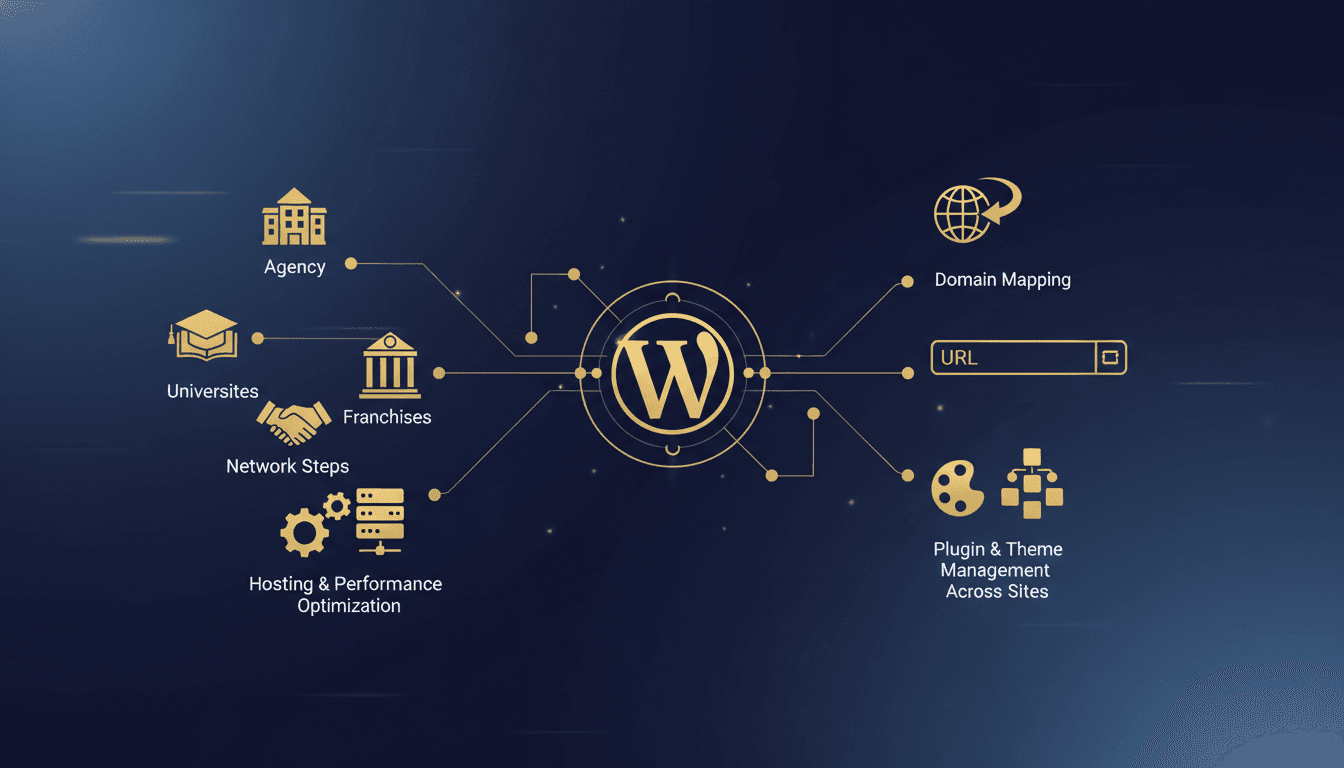

WordPress Multisite is a feature that allows you to create and manage multiple WordPress websites from a single installation. This network functionality lets administrators control themes, plugins, users, and content across dozens or hundreds of sites from one central dashboard.
What is WordPress Multisite?
WordPress Multisite turns a standard WordPress installation into a network of interconnected websites sharing the same codebase, database, and administrative structure. Instead of managing separate WordPress installations, network administrators control multiple sites through a unified Super Admin dashboard.
The system operates on a hub-and-spoke model where one primary installation serves as the network hub, with additional sites functioning as spokes. Each site keeps its own content, users, and basic settings while inheriting themes, plugins, and network-wide configurations from the central installation.
According to WordPress.org's usage statistics, approximately 15% of WordPress installations use Multisite functionality, with higher adoption rates among enterprise and educational institutions (2024).
When to Use WordPress Multisite
WordPress Multisite works best in specific scenarios where centralized management provides clear operational advantages over individual installations.
Agencies and web development companies benefit from Multisite when managing client websites that require similar functionality. A single network can house client sites during development, staging, and maintenance phases, which reduces server overhead and simplifies plugin and theme updates across multiple projects.
Educational institutions represent the largest Multisite adoption segment. Universities create networks where each department, program, or research group operates its own site while maintaining institutional branding and security standards. According to EDUCAUSE, 78% of higher education institutions using WordPress deploy Multisite networks (2023).
Franchise organizations use Multisite to maintain brand consistency while allowing local customization. Each franchise location operates its own site with approved themes and plugins, while corporate headquarters controls network-wide branding and compliance requirements.
Large corporations with multiple divisions, product lines, or geographic locations find Multisite useful for maintaining separate web presences under unified management and hosting infrastructure.
WordPress Multisite Setup Guide
Setting up WordPress Multisite requires specific configuration changes and careful planning before activation.
Pre-Installation Requirements
Before enabling Multisite, ensure your hosting environment meets the technical requirements. Your server needs a current WordPress release, PHP 8.3 or greater (8.4+ recommended), and MariaDB 10.11+ or MySQL 8.0+, the versions WordPress.org currently recommends. Back up your existing WordPress installation completely, since Multisite activation modifies core configuration files.
Verify that your hosting provider supports Multisite networks. Some shared hosting plans restrict the wildcard subdomains or custom domain configurations required for full Multisite functionality.
Step 1: Enable Multisite in WordPress
Access your WordPress installation's root directory via FTP or file manager. Open the wp-config.php file and add the following line above the "/* That's all, stop editing!" comment:
define('WP_ALLOW_MULTISITE', true);
Save the file and refresh your WordPress admin dashboard. A new "Network Setup" option will appear under Tools in the admin menu.
Step 2: Network Configuration
Navigate to Tools > Network Setup in your WordPress admin, then choose between a subdomain or subdirectory network structure. Subdomain networks create sites like site1.yournetwork.com and site2.yournetwork.com. Subdirectory networks create sites like yournetwork.com/site1 and yournetwork.com/site2.
Subdomain networks offer more flexibility for custom domains but require wildcard DNS configuration. Subdirectory networks are simpler to implement but may conflict with existing permalinks.
Step 3: Configuration File Updates
WordPress generates specific code snippets that must be added to wp-config.php and .htaccess files. Copy these exactly as provided:
wp-config.php additions:
define('MULTISITE', true);
define('SUBDOMAIN_INSTALL', false); // true for subdomain networks
define('DOMAIN_CURRENT_SITE', 'yoursite.com');
define('PATH_CURRENT_SITE', '/');
define('SITE_ID_CURRENT_SITE', 1);
define('BLOG_ID_CURRENT_SITE', 1);
The system also provides .htaccess rules specific to your network configuration. Replace your existing .htaccess content with the generated code.
Step 4: Network Activation
After updating configuration files, log back into WordPress. You'll now have access to the Network Admin dashboard at yoursite.com/wp-admin/network/. The original site admin remains available at yoursite.com/wp-admin/.
Domain Mapping Configuration
Domain mapping allows individual network sites to use custom domains while remaining part of the Multisite network. Agencies managing client sites and organizations with multiple branded properties rely on it.
Native Domain Mapping
WordPress 4.5+ includes native domain mapping functionality. Access Network Admin > Sites, edit the desired site, and add the custom domain in the "Site Address (URL)" field. Update both the "Site Address" and "WordPress Address" to the custom domain.
DNS Configuration
Configure DNS records to point custom domains to your network's server IP address. Create A records for the root domain and www subdomain pointing to your hosting server. Some configurations may require CNAME records instead.
SSL Certificates
Each mapped domain requires its own SSL certificate for secure connections. Many hosting providers offer automated SSL certificate generation for mapped domains, but verify this capability before implementing domain mapping at scale.
Plugin and Theme Management
WordPress Multisite centralizes plugin and theme management while providing granular control over site-specific access.
Network-Wide Plugin Management
Super Admins can install plugins at the network level and choose deployment options:
| Activation Type | Description | Use Case |
|---|---|---|
| Network Activate | Forces plugin activation on all sites | Essential functionality |
| Available to Sites | Sites can individually activate | Optional features |
| Must-Use Plugins | Automatically loads without activation | Security, analytics |
Network-activated plugins cannot be deactivated by individual site administrators, which keeps functionality consistent across the network.
Theme Distribution
Themes installed at the network level are available to all sites, but site administrators choose which theme to activate. Super Admins can restrict theme access per site or require approval for theme changes.
Create a staging workflow for testing themes across different network sites before network-wide deployment. According to WP Engine's Multisite survey, 67% of network failures result from incompatible theme updates (2024).
Must-Use Plugins Directory
The wp-content/mu-plugins directory contains plugins that load automatically across all network sites. Use this directory for:
- Network-wide security plugins
- Analytics tracking code
- Custom functionality required on every site
- Compliance and monitoring tools
Performance Considerations
WordPress Multisite networks face their own performance challenges as site count and traffic increase. Proper optimization prevents resource bottlenecks and keeps the user experience consistent.
Database Optimization
Multisite installations share a single database with separate table sets for each site. Monitor database size and implement regular optimization routines:
- Schedule automated database cleanups for spam comments and revisions
- Implement query caching at the network level
- Consider database partitioning for networks exceeding 100 sites
- Monitor slow queries across all network sites
Caching Strategy
Network-wide caching requires careful configuration to prevent cross-site content bleeding. Implement object caching with site-specific cache keys and configure page caching to respect individual site domains and content.
Popular caching plugins like W3 Total Cache and WP Rocket offer Multisite-specific configuration options. Test caching thoroughly across different network sites to confirm proper isolation.
Content Delivery Network (CDN)
CDN implementation for Multisite networks requires mapping static assets from multiple domains. Configure your CDN to handle:
- Shared theme and plugin assets
- Site-specific uploads and media
- Custom domain mapped sites
- SSL certificate coverage for all domains
Hosting Requirements for WordPress Multisite
WordPress Multisite networks demand more capable hosting infrastructure than single-site installations. Resource requirements scale exponentially with site count and concurrent usage.
Server Resource Planning
Calculate resource requirements based on expected network usage. Plan on 512MB of memory minimum per 10 active sites, and dedicated CPU cores for networks of 25+ sites. Use SSD storage for database performance, and plan bandwidth for aggregate traffic across all sites.
Managed Hosting Benefits
Managed WordPress hosts like TopSyde offer Multisite-optimized infrastructure with automatic scaling, security monitoring, and performance optimization. Managed solutions handle server maintenance, security updates, and performance tuning that become complex at network scale.
TopSyde's Multisite hosting includes network-wide malware scanning, automated backups across all sites, and support from WordPress specialists familiar with network-specific challenges.
Database Management
Large Multisite networks require dedicated database optimization:
- Implement read/write splitting for high-traffic networks
- Configure automatic database repairs and optimization
- Monitor database connection limits and query performance
- Plan for database scaling as the network grows
Security Considerations
Multisite networks present security challenges of their own, since compromise of one site can potentially affect the entire network.
User Role Management
WordPress Multisite introduces additional user roles beyond standard WordPress installations:
- Super Admin: Network-wide administrative access
- Network Admin: Limited network management capabilities
- Site Admin: Individual site administrative access
- Standard Roles: Editor, Author, Contributor, Subscriber per site
Implement least-privilege principles by granting users minimal required access levels. Regular user audits become critical as networks grow and staff changes occur.
Network-Wide Security Monitoring
Deploy security plugins at the network level to monitor all sites simultaneously. Configure centralized logging to track security events across the network and implement automated responses to common threats.
According to Wordfence's threat report, Multisite networks experience 23% fewer successful attacks than equivalent numbers of individual installations when properly secured (2024).
Keep Reading on TopSyde
- Why Your Developer Hates Your Hosting (And What to Do About It): Tired of developer complaints about slow deploys and server limitations? Learn how cheap hosting kills productivity and what developer-friendly options cost less.
- WordPress Hooks Explained: Actions, Filters, and Custom Hooks: Master WordPress hooks, actions, and filters with this complete developer guide. Learn custom hook creation, debugging, and performance optimization.
- WordPress Multi-Tenancy: Architecture Patterns for SaaS Platforms: Complete guide to WordPress multi-tenancy patterns, single database vs isolated DBs, containerized instances, tenant provisioning, and scaling strategies for SaaS.
- Migrate from GoDaddy to Managed WordPress Hosting: What to Expect: See what happens when you migrate from GoDaddy to managed WordPress hosting, including real performance gains, common pitfalls, and expert migration support.
- Managed WordPress hosting for agencies
- Agency case studies & outcomes
Frequently Asked Questions
Can I convert an existing WordPress site to Multisite?
Yes, existing WordPress installations can be converted to Multisite networks, but the process requires careful planning and testing. Back up your site completely before beginning conversion, as the process modifies core database structure and configuration files. The original site becomes the main site in the new network, and you can add additional sites after conversion is complete.
What happens if I need to move away from Multisite?
Individual sites can be extracted from Multisite networks using export/import tools or specialized plugins. The process involves exporting content, users, and customizations from the network site and importing them into a standalone WordPress installation. This migration requires technical expertise and careful handling of user data and custom functionality.
Do all sites in a Multisite network share the same hosting resources?
All network sites share the same server resources including CPU, memory, and database connections. That sharing can create performance bottlenecks if one site sees high traffic or heavy resource usage. TopSyde's managed hosting includes resource monitoring and automatic scaling to prevent individual sites from impacting network performance.
Can each site in the network have different themes and plugins?
Network administrators control which themes and plugins are available to individual sites, but site administrators can choose which approved options to activate. Super Admins can restrict certain plugins or themes per site, and some plugins can be network-activated to run across all sites automatically.
Is WordPress Multisite suitable for client websites?
Multisite works well for agencies managing multiple client sites with similar requirements, but consider client needs carefully. Clients cannot access hosting settings or install plugins independently, and site performance depends on network-wide optimization. Many agencies use Multisite for development and staging environments while maintaining separate hosting for production client sites.
Topics

Founder & Lead Developer
20+ years full-stack development, WordPress, AI tools & agents
Colton is the founder of TopSyde with 20+ years of full-stack development experience spanning WordPress, cloud infrastructure, and AI-powered tooling. He specializes in performance optimization, server architecture, and building AI agents for automated site management.