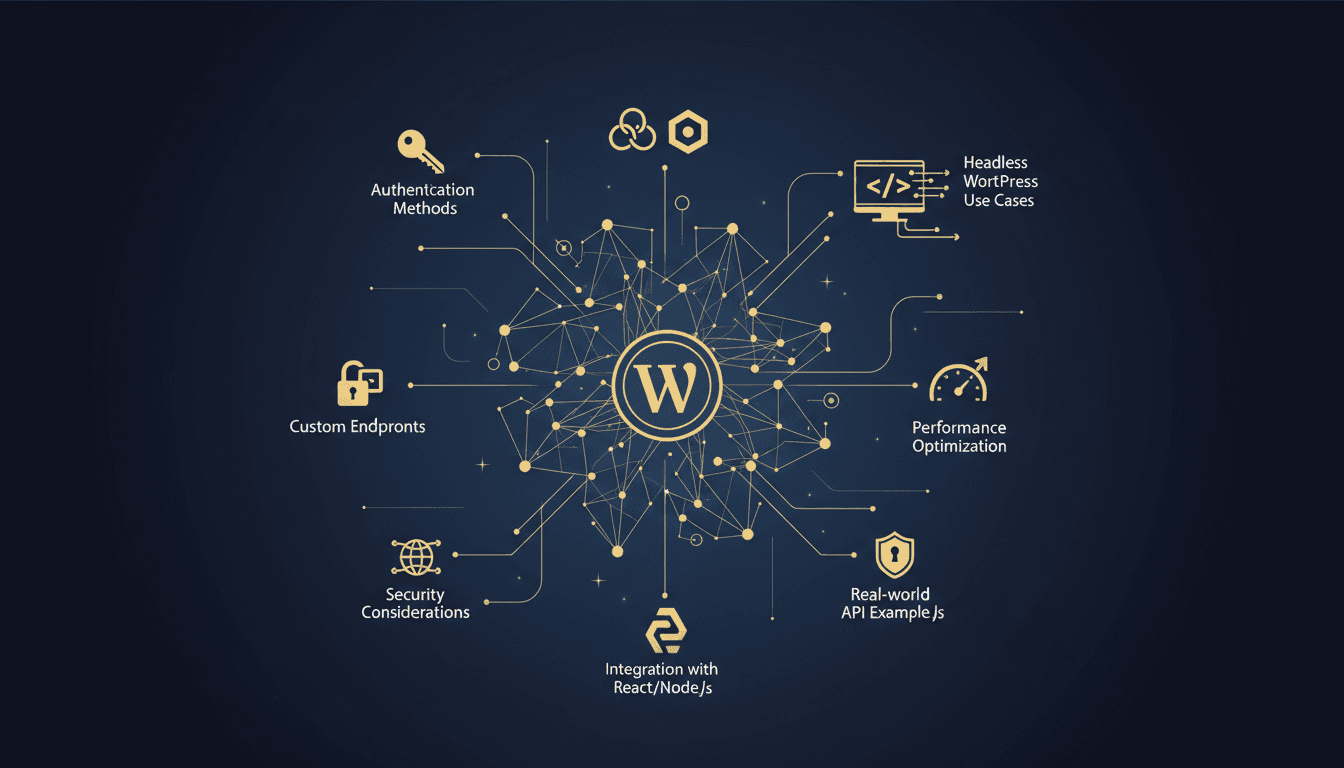
WordPress REST API provides a standardized way to interact with your WordPress site programmatically, enabling headless architectures, mobile apps, and third-party integrations through HTTP requests that return JSON responses.
What is the WordPress REST API?
The WordPress REST API is an interface that allows external applications to interact with WordPress sites using standard HTTP methods (GET, POST, PUT, DELETE). It transforms WordPress from a traditional CMS into a flexible content backend that can power websites, mobile apps, and headless architectures.
According to the 2024 WordPress Developer Survey, 34% of developers now use WordPress as a headless CMS, up from 22% in 2022. This growth reflects the API's maturity and the increasing demand for decoupled architectures.
The REST API follows REST (Representational State Transfer) principles, making it familiar to developers who already work with modern web APIs. Every WordPress installation since version 4.7 includes the REST API by default, accessible at /wp-json/wp/v2/ endpoints.
How WordPress REST API Authentication Works
WordPress REST API supports multiple authentication methods depending on your security requirements and use case. Understanding these methods matters for secure implementation.
Application Passwords
Application Passwords provide the simplest authentication method for trusted applications. Users generate unique passwords specifically for API access, separate from their regular login credentials.
const response = await fetch('https://yoursite.com/wp-json/wp/v2/posts', {
  method: 'POST',
  headers: {
    'Authorization': 'Basic ' + btoa('username:application_password'),
    'Content-Type': 'application/json'
  },
  body: JSON.stringify({
    title: 'New Post via API',
    content: 'Post content here',
    status: 'publish'
  })
});
JWT Token Authentication
JSON Web Tokens provide stateless authentication ideal for modern applications. JWT tokens contain encoded user information and expire after a set time, enhancing security.
OAuth 2.0 Integration
OAuth enables secure third-party application authorization without exposing user credentials. This method works best for applications that need user consent for data access.
WordPress REST API Endpoints Reference
WordPress provides numerous built-in endpoints for common operations. Understanding the endpoint structure helps you find your way around the API efficiently.
| Endpoint | HTTP Method | Purpose | Authentication Required |
|---|---|---|---|
/wp/v2/posts | GET | Retrieve posts | No |
/wp/v2/posts | POST | Create new post | Yes |
/wp/v2/posts/{id} | PUT | Update existing post | Yes |
/wp/v2/posts/{id} | DELETE | Delete post | Yes |
/wp/v2/pages | GET | Retrieve pages | No |
/wp/v2/users | GET | List users | No (limited data) |
/wp/v2/media | POST | Upload media | Yes |
/wp/v2/comments | GET/POST | Manage comments | Depends on settings |
Query Parameters and Filtering
The REST API supports extensive filtering and querying capabilities:
// Get 10 latest posts from category ID 5
fetch('/wp-json/wp/v2/posts?per_page=10&categories=5&orderby=date&order=desc')

// Search posts by keyword
fetch('/wp-json/wp/v2/posts?search=wordpress api')

// Get posts by specific author
fetch('/wp-json/wp/v2/posts?author=1')
How to Create Custom REST API Endpoints
Custom endpoints extend WordPress functionality beyond default content types. This enables specialized data handling and business logic implementation.
Basic Custom Endpoint Registration
function register_custom_endpoints() {
    register_rest_route('custom/v1', '/products', array(
        'methods' => 'GET',
        'callback' => 'get_custom_products',
        'permission_callback' => '__return_true'
    ));
}
add_action('rest_api_init', 'register_custom_endpoints');

function get_custom_products($request) {
    $products = get_posts(array(
        'post_type' => 'product',
        'numberposts' => $request->get_param('per_page') ?: 10
    ));

    $formatted_products = array_map(function($product) {
        return array(
            'id' => $product->ID,
            'title' => $product->post_title,
            'price' => get_post_meta($product->ID, '_price', true),
            'stock' => get_post_meta($product->ID, '_stock', true)
        );
    }, $products);

    return rest_ensure_response($formatted_products);
}
Advanced Endpoint with Validation
function register_advanced_endpoint() {
    register_rest_route('custom/v1', '/orders', array(
        'methods' => 'POST',
        'callback' => 'create_order',
        'permission_callback' => function() {
            return current_user_can('edit_posts');
        },
        'args' => array(
            'customer_email' => array(
                'required' => true,
                'validate_callback' => function($param) {
                    return is_email($param);
                }
            ),
            'items' => array(
                'required' => true,
                'validate_callback' => function($param) {
                    return is_array($param) && !empty($param);
                }
            )
        )
    ));
}
Headless WordPress with React and Next.js
Headless WordPress architectures separate content management from presentation, enabling modern frontend frameworks to consume WordPress data via the REST API.
React Integration Example
import React, { useState, useEffect } from 'react';

function WordPressPosts() {
    const [posts, setPosts] = useState([]);
    const [loading, setLoading] = useState(true);

    useEffect(() => {
        async function fetchPosts() {
            try {
                const response = await fetch('/wp-json/wp/v2/posts?per_page=6');
                const postsData = await response.json();
                setPosts(postsData);
            } catch (error) {
                console.error('Error fetching posts:', error);
            } finally {
                setLoading(false);
            }
        }

        fetchPosts();
    }, []);

    if (loading) return <div>Loading posts...</div>;

    return (
        <div className="posts-grid">
            {posts.map(post => (
                <article key={post.id} className="post-card">
                    <h2 dangerouslySetInnerHTML={{ __html: post.title.rendered }} />
                    <div dangerouslySetInnerHTML={{ __html: post.excerpt.rendered }} />
                    <a href={post.link}>Read More</a>
                </article>
            ))}
        </div>
    );
}
Next.js Static Generation
Next.js enables static site generation with WordPress data, combining the content management benefits of WordPress with the performance of static sites.
// pages/blog/[slug].js
export async function getStaticPaths() {
    const posts = await fetch('https://yoursite.com/wp-json/wp/v2/posts?per_page=100');
    const postsData = await posts.json();

    const paths = postsData.map(post => ({
        params: { slug: post.slug }
    }));

    return {
        paths,
        fallback: 'blocking'
    };
}

export async function getStaticProps({ params }) {
    const post = await fetch(`https://yoursite.com/wp-json/wp/v2/posts?slug=${params.slug}`);
    const postData = await post.json();

    return {
        props: {
            post: postData[0]
        },
        revalidate: 3600 // Revalidate every hour
    };
}
According to Jamstack Community Survey 2024, headless WordPress sites show 43% faster Time to First Byte (TTFB) compared to traditional WordPress themes when properly optimized.
WordPress REST API Performance Optimization
REST API performance directly impacts user experience, especially in headless architectures where every data request affects page load times.
Caching Strategies
Object caching significantly improves REST API response times. TopSyde's managed hosting includes Redis object caching optimized for REST API workloads.
function cache_api_response($endpoint, $data) {
    $cache_key = 'api_' . md5($endpoint . serialize($_GET));
    wp_cache_set($cache_key, $data, 'api_responses', 3600);
}

function get_cached_api_response($endpoint) {
    $cache_key = 'api_' . md5($endpoint . serialize($_GET));
    return wp_cache_get($cache_key, 'api_responses');
}
Database Query Optimization
Minimize database queries in custom endpoints by using efficient WordPress query methods:
function optimized_posts_endpoint($request) {
    // Use WP_Query for complex queries instead of multiple get_posts() calls
    $query_args = array(
        'post_type' => 'post',
        'posts_per_page' => $request->get_param('per_page') ?: 10,
        'meta_query' => array(
            array(
                'key' => '_featured',
                'value' => 'yes',
                'compare' => '='
            )
        )
    );

    $posts_query = new WP_Query($query_args);

    // Use get_field() for ACF fields to avoid individual meta queries
    $formatted_posts = array_map(function($post) {
        return array(
            'id' => $post->ID,
            'title' => $post->post_title,
            'featured_image' => get_field('featured_image', $post->ID),
            'excerpt' => wp_trim_words($post->post_content, 30)
        );
    }, $posts_query->posts);

    return rest_ensure_response($formatted_posts);
}
Response Field Selection
Limit API responses to necessary fields to reduce payload size and transfer time:
// Request only specific fields
fetch('/wp-json/wp/v2/posts?_fields=id,title,excerpt,date,link')

// Embed related data in single request
fetch('/wp-json/wp/v2/posts?_embed=author,wp:featuredmedia')
WordPress REST API Security Best Practices
REST API security requires multiple layers of protection, from authentication to input validation and rate limiting.
Rate Limiting Implementation
Prevent API abuse with rate limiting based on IP address or user authentication:
function implement_api_rate_limiting() {
    $ip = $_SERVER['REMOTE_ADDR'];
    $rate_limit_key = 'api_rate_limit_' . md5($ip);

    $current_requests = get_transient($rate_limit_key) ?: 0;

    if ($current_requests >= 100) { // 100 requests per hour
        wp_die('Rate limit exceeded', 'Too Many Requests', array('response' => 429));
    }

    set_transient($rate_limit_key, $current_requests + 1, 3600);
}
add_action('rest_api_init', 'implement_api_rate_limiting');
Input Validation and Sanitization
Validate all input data to prevent injection attacks and data corruption:
function validate_custom_endpoint_data($request) {
    $email = sanitize_email($request->get_param('email'));
    if (!is_email($email)) {
        return new WP_Error('invalid_email', 'Invalid email format', array('status' => 400));
    }

    $content = wp_kses_post($request->get_param('content'));
    if (empty($content)) {
        return new WP_Error('empty_content', 'Content cannot be empty', array('status' => 400));
    }

    return true;
}
HTTPS and CORS Configuration
Always use HTTPS for API endpoints handling sensitive data. Configure CORS headers for cross-origin requests:
function configure_api_cors() {
    header('Access-Control-Allow-Origin: https://yourdomain.com');
    header('Access-Control-Allow-Methods: GET, POST, PUT, DELETE, OPTIONS');
    header('Access-Control-Allow-Headers: Authorization, Content-Type');
}
add_action('rest_api_init', 'configure_api_cors');
For comprehensive WordPress security practices, review our WordPress Security Best Practices guide.
Real-World WordPress REST API Use Cases
E-commerce Integration
WooCommerce REST API extends WordPress capabilities for online stores:
// Retrieve products with pricing and inventory
async function getProducts(category = null) {
    let url = '/wp-json/wc/v3/products';
    if (category) {
        url += `?category=${category}`;
    }

    const response = await fetch(url, {
        headers: {
            'Authorization': 'Basic ' + btoa('consumer_key:consumer_secret')
        }
    });

    return await response.json();
}

// Create new order
async function createOrder(orderData) {
    const response = await fetch('/wp-json/wc/v3/orders', {
        method: 'POST',
        headers: {
            'Authorization': 'Basic ' + btoa('consumer_key:consumer_secret'),
            'Content-Type': 'application/json'
        },
        body: JSON.stringify(orderData)
    });

    return await response.json();
}
Mobile App Backend
WordPress REST API works well as a backend for mobile applications:
// Mobile app authentication flow
class WordPressAuth {
    async login(username, password) {
        const response = await fetch('/wp-json/jwt-auth/v1/token', {
            method: 'POST',
            headers: { 'Content-Type': 'application/json' },
            body: JSON.stringify({ username, password })
        });

        const data = await response.json();
        if (data.token) {
            await AsyncStorage.setItem('jwt_token', data.token);
            return true;
        }
        return false;
    }

    async getProfile() {
        const token = await AsyncStorage.getItem('jwt_token');
        const response = await fetch('/wp-json/wp/v2/users/me', {
            headers: { 'Authorization': `Bearer ${token}` }
        });

        return await response.json();
    }
}
Multi-site Content Syndication
REST API enables content sharing across multiple WordPress installations:
function sync_content_across_sites($post_id) {
    $post = get_post($post_id);
    $sites = ['https://site1.com', 'https://site2.com'];

    foreach ($sites as $site) {
        $response = wp_remote_post($site . '/wp-json/wp/v2/posts', array(
            'headers' => array(
                'Authorization' => 'Basic ' . base64_encode('username:password'),
                'Content-Type' => 'application/json

## Keep Reading on TopSyde

- [WordPress Custom Post Types and Taxonomies Explained](/blog/wordpress-custom-post-types). Registration, taxonomies, ACF integration, REST API exposure, and query optimization for developers.
- [WordPress Error Debugging: White Screen, 500 Errors, and More](/blog/wordpress-error-debugging). Learn to debug WordPress errors systematically: enable WP_DEBUG, isolate plugin conflicts, fix WSOD and 500 errors with professional techniques.
- [WordPress Hooks Explained: Actions, Filters, and Custom Hooks](/blog/wordpress-hook-system-guide). Master WordPress hooks, actions, and filters. Learn custom hook creation, debugging, and performance optimization.
- [Full technical spec sheet](/spec-sheet)
- [Our infrastructure stack](/stack)

DevOps & Security Lead
12+ years DevOps, Linux & cloud infrastructure certified
Marcus leads infrastructure and security at TopSyde, managing the server fleet and AI monitoring systems that keep client sites fast and protected. Former sysadmin turned WordPress hosting specialist.