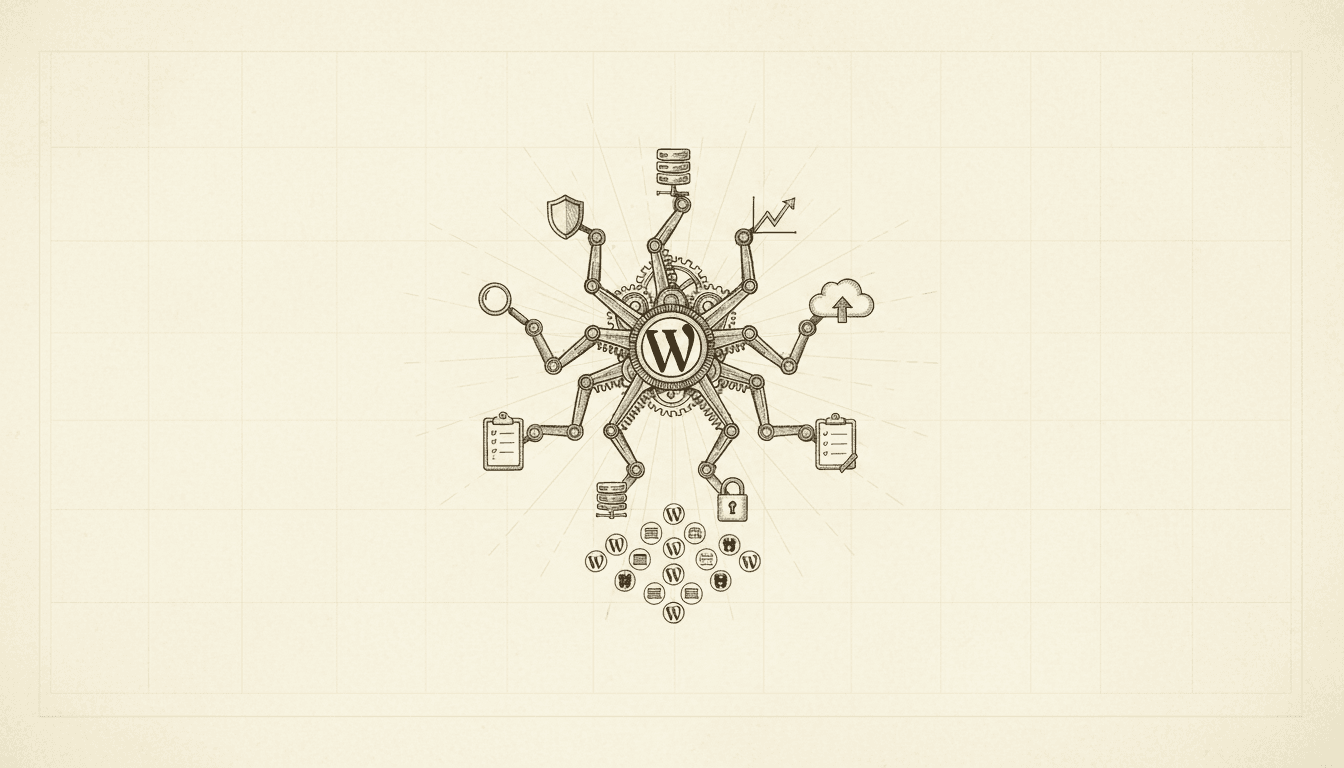

Managing multiple WordPress client sites requires systematic workflows that scale beyond manual intervention. Successful agencies rely on automated maintenance tools, standardized staging processes, and white-label hosting solutions to deliver consistent service while maintaining profitability across 10-100+ sites.
What Is WordPress Agency Workflow Management?
WordPress agency workflow management encompasses the systems, processes, and tools that enable agencies to efficiently maintain, update, and monitor multiple client WordPress sites simultaneously. This includes automated maintenance scheduling, centralized security monitoring, standardized deployment procedures, and client communication protocols that ensure consistent service delivery at scale.
According to WP Engine's 2024 Agency Survey, agencies managing 50+ WordPress sites spend an average of 40% less time on routine maintenance when using centralized management tools compared to manual site-by-site approaches. The key lies in establishing repeatable processes that can be automated or systematized.
Effective workflow management moves agency operations away from reactive firefighting and toward proactive service delivery, which raises client satisfaction and improves profit margins.
How to Set Up Centralized Site Management
Centralized management starts with choosing the right platform to monitor and maintain all client sites from a single dashboard. The two leading solutions are ManageWP and MainWP, each offering different approaches to multi-site management.
ManageWP operates as a SaaS platform where you add client sites to your cloud-based dashboard. It excels at automated backups, security scanning, and bulk WordPress updates. The platform costs $2-5 per site monthly but includes comprehensive monitoring and reporting features.
MainWP takes a self-hosted approach, installing on your own server and connecting to client sites via a lightweight plugin. This option provides more control and lower per-site costs but requires more technical setup and maintenance.
| Feature | ManageWP | MainWP |
|---|---|---|
| Hosting Model | SaaS Cloud | Self-hosted |
| Monthly Cost | $2-5/site | Free + extensions |
| Setup Complexity | Low | Medium |
| White Label Options | Limited | Full customization |
| Backup Storage | Included | External required |
| Security Scanning | Built-in | Extension required |
For agencies prioritizing quick setup and comprehensive features, ManageWP offers faster implementation. MainWP suits agencies wanting full control over their management infrastructure and white-label customization.
Both platforms enable bulk WordPress core updates, plugin management, and automated security scans across your entire client portfolio. The key is establishing consistent update schedules and testing procedures to prevent conflicts.
Implementing Automated Maintenance Workflows
Automated maintenance workflows reduce manual intervention while ensuring client sites remain secure and updated. The foundation involves three core components: scheduled updates, automated backups, and proactive monitoring.
Scheduled Update Strategy:
- WordPress core updates: Deploy minor versions immediately, major versions after 7-day staging period
- Plugin updates: Test in staging weekly, deploy to production bi-weekly
- Theme updates: Manual review required due to customization risks
- PHP version updates: Quarterly review with compatibility testing
According to Sucuri's 2024 Website Security Report, 73% of WordPress vulnerabilities target outdated plugins and themes. Automated updates significantly reduce this attack surface while maintaining site stability.
Backup Automation: Configure daily incremental backups with weekly full backups stored in multiple locations. Test backup restoration monthly to ensure data integrity. Critical e-commerce sites may require hourly backups during peak periods.
Monitoring Triggers: Set up automated alerts for:
- Site downtime (5+ minutes)
- Failed logins (10+ attempts in 15 minutes)
- Plugin conflicts causing errors
- Performance degradation (>3 second load times)
- SSL certificate expiration warnings
This proactive approach prevents small issues from becoming client emergencies while demonstrating value through detailed maintenance reports.
Managing Staging Environments at Scale
Staging environments let you test updates and changes before they affect live client sites. Implementing staging workflows across multiple clients requires standardized processes and reliable hosting infrastructure.
Each client site should have a corresponding staging environment that mirrors the production setup, including identical plugin configurations, theme customizations, and content structures. WordPress staging environments provide the foundation for safe testing procedures.
Staging Workflow Process:
- Weekly sync: copy production database and files to staging
- Update testing: deploy pending WordPress, plugin, and theme updates
- Functionality check: verify critical site features and custom functionality
- Performance review: test page load speeds and mobile responsiveness
- Client approval: share the staging URL for client review when needed
- Production deployment: push approved changes to the live site
For agencies managing 20+ sites, automated staging synchronization saves significant time. Tools like WP Staging Pro or hosting-level staging features from providers like TopSyde cut most of the manual work out of this process.
Staging Best Practices:
- Maintain separate databases to prevent content conflicts
- Use
.stagingsubdomains for easy client access - Block search engine indexing on staging sites
- Implement staging-specific email configurations to prevent accidental sends
- Document all changes for production deployment reference
White-Label Hosting Solutions for Agencies
White-label hosting enables agencies to offer branded hosting services while partnering with technical infrastructure providers. This approach generates recurring revenue while maintaining client relationships under your brand.
TopSyde's white-label program starting at $89/month provides agencies with fully brandable hosting solutions, custom client portals, and technical support under your company name. This eliminates the need for agencies to manage server infrastructure while maintaining control over client relationships.
White-Label Benefits:
- Revenue Growth: Hosting typically generates 30-50% gross margins for agencies
- Client Retention: Hosting relationships create stickier client engagements
- Technical Support: Partner handles server management and security updates
- Scalability: Add new clients without infrastructure investment
- Brand Control: Clients see your company name, not the hosting provider
Implementation Considerations:
- Evaluate partner SLA guarantees and technical support quality
- Ensure migration assistance for existing client sites
- Verify backup and security features meet client requirements
- Establish clear escalation procedures for technical issues
- Review billing integration options so invoicing stays simple
White-label hosting works best when combined with comprehensive WordPress care plans that bundle hosting with maintenance services.
Client Reporting and Communication Systems
Systematic client communication builds trust and demonstrates ongoing value from your maintenance services. Monthly reports should highlight proactive maintenance, security monitoring, and performance improvements.
Monthly Report Components:
- Site uptime statistics and performance metrics
- Security scans completed and threats blocked
- WordPress/plugin updates applied
- Backup confirmations and restoration tests
- Traffic analytics and key performance indicators
- Recommended improvements and next steps
According to Maintainn's 2024 Agency Report, clients receiving detailed monthly reports show 35% higher retention rates compared to agencies providing minimal communication.
Automated Reporting Tools:
- Looker Studio (formerly Google Data Studio): create branded dashboards pulling from Analytics, Search Console, and uptime monitors
- ManageWP Reports: generate white-label maintenance summaries with security and update details
- Custom client portals: develop branded dashboards showing real-time site status and historical data
Communication Best Practices:
- Send reports on the same date monthly for consistency
- Include executive summaries for non-technical stakeholders
- Highlight proactive measures taken to prevent issues
- Provide clear next steps and recommendations
- Schedule quarterly strategy calls for larger clients
Consistent reporting gives maintenance work a visible shape that clients can point to, which is what justifies premium pricing at renewal time.
Security Monitoring Across Multiple Sites
Managing security across 10-100+ WordPress sites requires automated monitoring and standardized response procedures. Manual security checks don't scale effectively and leave dangerous gaps in protection.
Multi-Site Security Stack:
- Web application firewall (WAF): Cloudflare or Sucuri for traffic filtering
- Security plugins: Wordfence or Solid Security on all client sites
- Uptime monitoring: Pingdom or StatusCake for availability alerts
- Malware scanning: daily automated scans with immediate threat notifications
- SSL monitoring: certificate expiration tracking and auto-renewal
WordPress security best practices provide detailed implementation guidance for each security layer.
Incident Response Workflow:
- Automated detection: security tools identify potential threats
- Immediate assessment: determine threat severity and affected sites
- Client notification: inform affected clients within 2 hours
- Containment actions: isolate compromised sites and block malicious traffic
- Remediation process: clean infected files and patch vulnerabilities
- Post-incident review: document lessons learned and improve procedures
According to Sucuri's analysis, the average cost of WordPress malware cleanup ranges from $500-2,000 per incident. Proactive security monitoring prevents these expensive emergencies while protecting client relationships.
Scaling Update and Deployment Strategies
Efficient update deployment becomes critical as your client portfolio grows. Manual updates across 50+ sites consume excessive time and increase the risk of human error during repetitive tasks.
Batch Update Strategy:
- Group A (low risk): simple business sites updated weekly
- Group B (medium risk): e-commerce sites updated bi-weekly with staging review
- Group C (high risk): custom applications requiring manual testing before updates
This tiered approach balances efficiency with risk management, ensuring critical sites receive appropriate attention while routine updates proceed automatically.
Version Control Integration: Implement Git workflows for client sites with custom code:
- Development branch for new features
- Staging branch for client review
- Production branch for live deployments
- Feature branches for specific customizations
WordPress CI/CD pipelines enable automated testing and deployment while maintaining code quality across client projects.
Update Testing Checklist:
- WordPress admin functionality
- Front-end display and responsive design
- Contact forms and lead generation
- E-commerce checkout processes
- Third-party integrations and APIs
- Page load speeds and mobile performance
Document all test results and maintain update logs for each client site to track changes and identify patterns in update-related issues.
Billing and SLA Management
Structured billing and clear SLAs form the foundation of profitable agency operations. Monthly recurring revenue models provide predictable income while SLAs set client expectations for service delivery.
Common Pricing Models:
- Per-site pricing: $50-200 monthly per site depending on complexity
- Bulk packages: discounted rates for clients with multiple sites
- Tiered services: basic, professional, and enterprise support levels
- Performance-based: pricing tied to uptime and response time guarantees
According to WP Curve's pricing analysis, agencies charging $100+ monthly per site for comprehensive maintenance show 60% higher profit margins than those competing primarily on price.
| Service Tier | Monthly Price | Sites Included | SLA Response | Features |
|---|---|---|---|---|
| Basic | $75-125/site | 1-5 | 48 hours | Updates, backups, monitoring |
| Professional | $125-200/site | 6-20 | 24 hours | Above + security, performance |
| Enterprise | $200+/site | 21+ | 4 hours | Above + priority support, custom |
SLA Components:
- Uptime guarantee: 99.9% minimum with credits for violations
- Response times: email within 4-48 hours based on service tier
- Security response: critical vulnerabilities addressed within 2 hours
- Backup recovery: site restoration within 4-24 hours depending on size
- Maintenance windows: scheduled updates during off-peak hours
Clear SLAs protect both parties by defining service expectations while providing frameworks for handling disputes or service issues.
Keep Reading on TopSyde
Frequently Asked Questions
How many WordPress sites can one person manage effectively?
A single developer can efficiently manage 20-30 WordPress sites using automated tools and standardized workflows. Beyond 30 sites, agencies typically need additional team members or more advanced automation to maintain service quality. The exact number depends on site complexity, client communication requirements, and available management tools.
What's the best pricing model for WordPress agency services?
Monthly recurring revenue models work best for most agencies, typically ranging from $75-200 per site depending on included services and SLA commitments. Tiered pricing allows clients to choose appropriate service levels while enabling agencies to scale profitably. Performance-based pricing with uptime guarantees commands premium rates but requires dependable infrastructure.
Should agencies use white-label hosting or recommend third-party providers?
White-label hosting generates additional recurring revenue while maintaining client relationships under your brand. However, it also adds technical responsibility and potential support overhead. Agencies comfortable with hosting management benefit from higher margins, while those preferring to focus on development may find third-party recommendations more suitable.
How do you handle emergency issues across multiple client sites?
Establish clear incident response procedures with automated monitoring triggers, documented escalation paths, and client communication templates. Categorize issues by severity and set response time expectations in your SLAs. Consider emergency contact procedures for critical sites and maintain relationships with specialized WordPress security firms for major incidents.
What tools are essential for managing 50+ WordPress sites?
Core tools include centralized management platforms (ManageWP or MainWP), automated backup solutions, security monitoring services, uptime tracking, and standardized staging environments. Project management systems, time tracking software, and automated reporting tools also matter a great deal once you're keeping workflows organized at scale.
Topics

Founder & Lead Developer
20+ years full-stack development, WordPress, AI tools & agents
Colton is the founder of TopSyde with 20+ years of full-stack development experience spanning WordPress, cloud infrastructure, and AI-powered tooling. He specializes in performance optimization, server architecture, and building AI agents for automated site management.