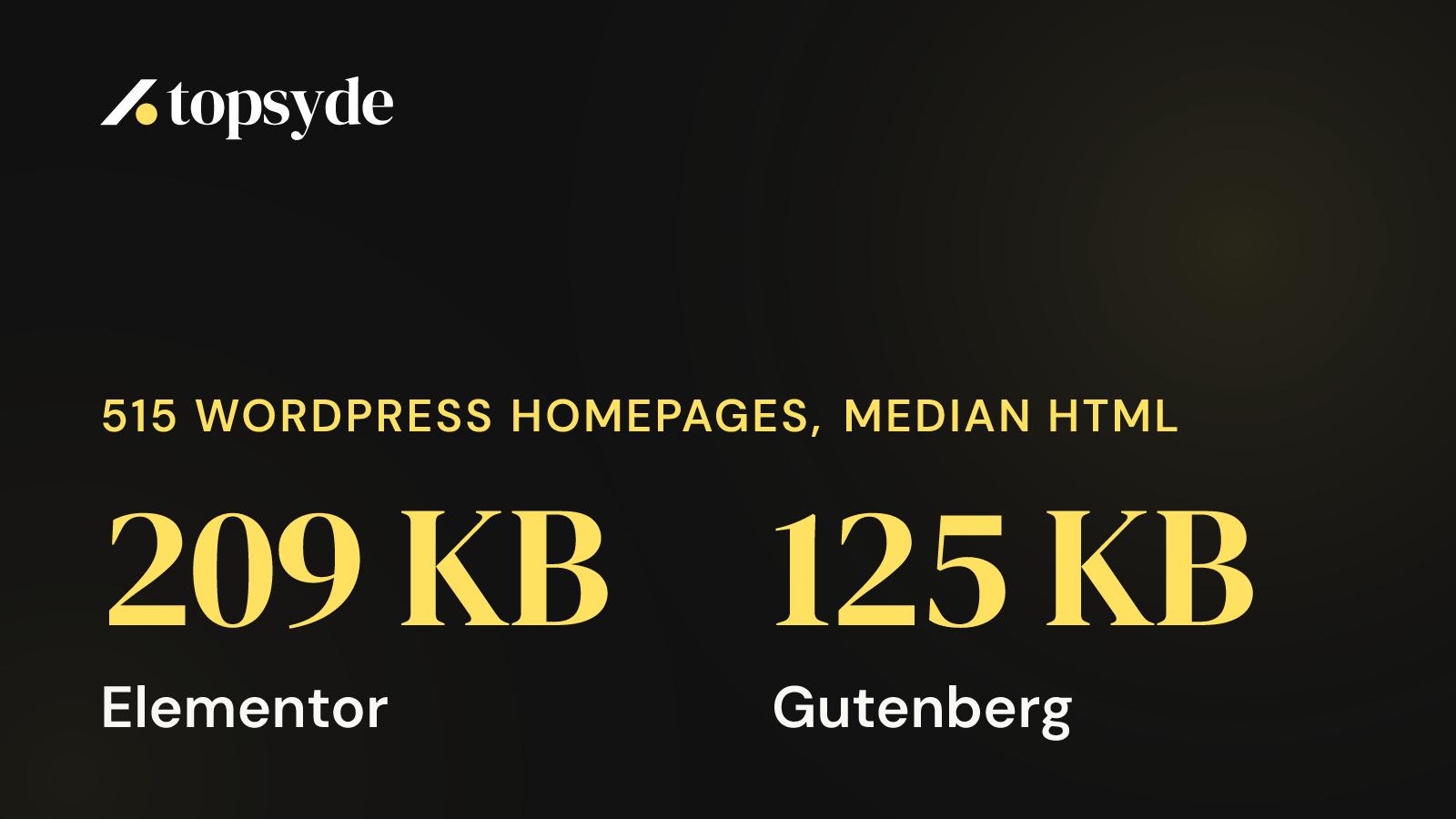

Across 515 WordPress homepages we audited in fall 2026, the median Elementor homepage shipped 209 KB of HTML and 25 stylesheets, against 125 KB and 8 stylesheets for Gutenberg. Elementor homepages still had the faster median time to first byte, 251 ms to 347 ms, a reminder that server response depends on hosting and caching more than on the builder.
What did we measure, and who is in the sample?
Between 3 September and 30 October 2026 we ran 515 WordPress homepages through our site audit and recorded time to first byte, homepage HTML size, script and stylesheet counts, whether a CDN was detected, and the audit's score out of 100. None of the sites belonged to a TopSyde client. Each homepage was loaded once, from one location.
That last part shapes how you should read every number below. The sites came from businesses and agencies we chose to contact, so the group leans toward companies that run a marketing site and might care about hosting. One load from one place means a slow response on a bad minute counts the same as a good one, and a site hosted on another continent from our test location starts behind. These are medians for that group. They can't stand in for every WordPress site on the internet, and if you see them quoted that way, push back.
What the sample is good for is comparing builders against each other inside the same group, measured the same way, in the same eight weeks. That's a fairer fight than one demo page per builder on one test server.
The audit detects the builder from the page source. Of the 515 homepages, 484 fell into the five groups in the table below. The other 31 aren't broken out.
Elementor vs Gutenberg page weight, what the benchmark shows
The median Elementor homepage in our sample had about two-thirds more HTML than the median Gutenberg homepage (209 KB against 125 KB), 9 more scripts and roughly three times as many stylesheets. Its median time to first byte was faster, and its median audit score sat only 2 points lower.
Here is the full table, medians for each group, from the benchmark data checked on 1 November 2026:
| Builder | Homepages | Audit score | TTFB | HTML | Scripts | Stylesheets | CDN detected |
|---|---|---|---|---|---|---|---|
| Elementor | 233 | 58 | 251 ms | 209 KB | 41 | 25 | 46% |
| Gutenberg | 138 | 60 | 347 ms | 125 KB | 32 | 8 | 33% |
| Divi | 48 | 56.5 | 362 ms | 216 KB | 32.5 | 8 | 27% |
| WPBakery | 43 | 51 | 451 ms | 121 KB | 47 | 23 | 33% |
| No builder detected | 22 | 61.5 | 237.5 ms | 68 KB | 20 | 5 | 59% |
| All 515 homepages | 515 | 58 | 314 ms | 169 KB | 36 | 14 | 40% |
And the head-to-head most people search for:
| Median | Elementor | Gutenberg | Gap |
|---|---|---|---|
| Homepage HTML | 209 KB | 125 KB | Elementor +84 KB |
| Scripts | 41 | 32 | Elementor +9 |
| Stylesheets | 25 | 8 | Elementor +17 |
| Time to first byte | 251 ms | 347 ms | Elementor 96 ms faster |
| CDN detected | 46% | 33% | Elementor +13 points |
| Audit score | 58 | 60 | Gutenberg +2 |
Elementor was the most common builder by a wide margin, with 233 of the 515 homepages. That gives its row the most weight of any in the table. Gutenberg, at 138, is the second most reliable row. Divi and WPBakery have fewer than 50 homepages each, and "no builder detected" has 22, so treat those three as directional.
If you've read our comparison of Elementor, Bricks and Breakdance, the Elementor numbers won't surprise you. The difference here is that these are live business homepages with their real plugins, tracking tags and content, measured side by side.
Which page builder adds the most scripts and stylesheets?
In this sample WPBakery homepages loaded the most scripts, a median of 47, and Elementor homepages loaded the most stylesheets, a median of 25, with WPBakery close behind at 23. Gutenberg and Divi homepages both had a median of 8 stylesheets. Divi had the heaviest HTML of any group at 216 KB.
Divi is the odd one. Its stylesheet count matches Gutenberg's, but its HTML is the largest in the table, so its weight sits in the HTML document itself. Elementor spreads its weight across both, heavier HTML and many more separate CSS files.
Keep in mind that a script count measures the whole page, and the builder is only one contributor. Analytics, a tag manager, a chat widget, a consent banner, a reviews carousel and a booking embed all add scripts regardless of how the page was built. We measured what some of those cost in what Microsoft Clarity, GTM and chat widgets add to a WordPress page, and on many sites the marketing stack outweighs the builder.
The "no builder detected" group is small, but its direction is clear. 68 KB of HTML, 20 scripts, 5 stylesheets and the best median score in the table, 61.5. Those are usually lean themes or custom builds. Fewer moving parts produced a lighter page here.
Why should a business owner care about stylesheet count? By default a browser won't paint the page until it has fetched and parsed the CSS files in the page head. Twenty-five files is twenty-five things that have to arrive before your visitor sees your headline, and each one is another chance for a slow request to hold everything up.
Why does time to first byte depend on more than the builder?
Time to first byte measures how long the server takes to start sending the page. It depends on the server's hardware, the PHP and database work behind the page, whether a page cache or CDN answers first, and how far the visitor is from the server. A builder adds PHP work on an uncached request, but a cached page skips most of that work.
Look at the TTFB column next to the CDN column. The two groups with the fastest median TTFB, "no builder detected" at 237.5 ms and Elementor at 251 ms, also had the highest CDN detection rates, 59% and 46%. Divi had the lowest CDN rate, 27%, and a slower 362 ms. WPBakery was slowest at 451 ms.
That pattern fits the idea that hosting and caching drive server response far more than the builder does. Our data can't prove it. It's possible that agencies building on Elementor also tend to buy better hosting, and the builder is along for the ride. What the table does show is that the heaviest builder on stylesheets is not the slowest to respond, which tells you where to look first when TTFB is the problem.
According to Google's web.dev guidance, most sites should aim for a time to first byte of 0.8 seconds or less (2023). Across our full sample, 36% of homepages took longer than 600 ms. At that point the server has used most of the budget before a single byte of the page reaches the browser, and the visitor on a phone in another city is waiting longer still. We set out what a good number looks like for stores in our TTFB benchmark for WooCommerce, and the same thinking applies to a brochure site.
If your TTFB is slow, swapping builders is the wrong first move. Check whether pages are cached, whether a CDN sits in front, and what the host is doing. Our CDN setup guide covers the CDN part in about 30 minutes of work.
What does a heavier homepage cost a business?
A slower page costs conversions, and the research on that is consistent. According to Deloitte's Milliseconds Make Millions study for Google, a 0.1-second improvement in mobile site speed increased retail conversions by 8.4% (2020). According to Portent, a B2B site that loads in 1 second converts at three times the rate of one that loads in 5 seconds (2022).
The builder gap feeds into that, but less than the arguments online suggest. The median audit score in our sample ranged from 51 for WPBakery to 61.5 for "no builder detected". Elementor scored 58, Gutenberg 60, Divi 56.5. For the three most common builders, the median score moved by a few points. The overall median performance score across all 515 was 56, which says most of these sites had room to improve no matter what they were built with.
So the business question is which fix buys the most speed per dollar. In our experience the order is usually hosting and caching first, third-party scripts second, images third, and the builder last. The builder is the most expensive item on that list to change, because changing it means rebuilding pages.
Should you switch page builders or keep the one you have?
For most sites in this sample, keep the builder and fix what surrounds it. The Elementor-to-Gutenberg gap is measurable, but the data shows server setup moving TTFB more than builder choice. Rebuild when the builder is one of several problems, or when a redesign is already scheduled.
Here's how we'd decide, case by case:
- You're on Elementor and the site works. Keep it. Your median peers responded faster than Gutenberg sites in this sample. Spend the money on caching, a CDN, trimming scripts nobody uses and compressing images.
- You're on WPBakery. This is the strongest case in the data for planning a move, with the lowest median score, the most scripts and the slowest median TTFB. Fix hosting now, and fold the rebuild into your next redesign so you pay for it once.
- You're starting a new build. A block theme with Gutenberg gave the lighter default in this sample, 125 KB of HTML and 8 stylesheets. If your team builds twice as fast in Elementor, the developer hours you'd save may matter more than 84 KB.
- You're thinking about headless for speed. Look hard at the budget first. Headless WordPress usually costs 2-3x more than a theme build, and our numbers suggest most of the speed you want is available without it.
Put a price on the rebuild before you commit. If a ten-page marketing site takes 40 hours to rebuild, that's $6,000 at our $150 hourly rate for developer work beyond the included hour, before anyone rewrites a line of copy. Then compare that with what a faster server and fewer scripts would cost you.
Keeping a builder has a running cost too. Elementor Pro's Essential plan listed at $59 a year for one site when we checked on 8 September 2026, and add-on packs stack up. PowerPack for Elementor Starter at $49, Crocoblock All-Inclusive at $399. Our plugin cost calculator puts a typical Elementor site's premium plugin stack at $1,043.15 a year at list price.
The other cost of a big builder is update risk. Builders ship frequent releases, and a broken layout after an update is a familiar Monday morning ticket. We covered the tradeoffs in what breaks when WordPress auto-updates run. On sites we host, across update runs that changed at least one plugin, theme or core version between 12 August and 1 November 2026, 0.31% needed an automatic rollback and 0.03% ended with the site reported down. Small numbers, and neither is zero, which is why rollback and monitoring belong in the plan whatever builder you use.
How do you compare your own homepage to these medians?
Start with a measurement of your own site, then compare it to your builder's row in the table. If you're well above the median on scripts or HTML, or your time to first byte runs past 600 ms, you know which problem to work on first.
- Run your homepage through our free site audit. It scores performance, SEO, AEO/GEO, structure, UX and security, the same audit behind this benchmark.
- Open Chrome DevTools, go to the Network tab and reload. Note the size of the HTML document, then filter by JS and by CSS and count the files.
- Test time to first byte several times, at different hours, and from a location near your customers. One load can mislead you, which is the same limit our own sample has.
- List every third-party script on the page and the person who asked for it. Any script without an owner is a candidate for removal.
If your numbers look fine on a single check but customers still complain, the problem may be intermittent. AI-powered WordPress monitoring catches slowdowns that a one-off test misses.
What does TopSyde do for sites built with Elementor, Divi or Gutenberg?
We host the site on infrastructure built for WordPress, watch it around the clock and give you developer time to fix what slows it down. Plans start at $89/mo per site for 1 to 10 sites, and the builder you already use stays.
Every plan includes a weekly Auto Speed pass that works on the image weight and load priority issues Lighthouse flags, and any change rolls back with one click. Each site also gets 1 hour of developer time a month, worth $840 a year at a typical $70 freelance rate. That hour is where trimming an unused slider script or a forgotten tracking tag gets done. The full list of what's included is on our spec sheet.
Monitoring runs 24/7, and under our SLA a site-down ticket is answered within 15 minutes, 24/7. Every other question gets a reply from a person within 24 hours.
For agencies with a book of builder sites, volume pricing is set in closed ranges. $71 a site a month for 11 to 99 sites and $67 for 100 to 199. The rates for 200 sites and up are on our page for agencies, and every rate on one page is at the pricing page.
New monthly plans come with a 30-day free trial. You add a card up front, nothing is charged that day, and the first charge comes when the 30 days end unless you cancel first. Migration is free, and plans run month to month. Run your homepage through the audit, compare it to the table above, and if hosting is the gap, move the site and see the difference on your own numbers.
Frequently Asked Questions
Is Elementor slower than Gutenberg?
In our sample of 515 WordPress homepages, Elementor pages were heavier, with a median of 209 KB of HTML and 25 stylesheets against 125 KB and 8 for Gutenberg. Elementor homepages had a faster median time to first byte (251 ms against 347 ms), and their median audit score was only 2 points lower. Heavier pages and slower server response are separate problems with separate fixes.
Does the page builder affect time to first byte?
A builder adds PHP work when a page is generated without a cache, but once a page cache or CDN serves the HTML, the builder has little to do with server response. In our data, the groups with the fastest median TTFB also had the highest CDN detection rates. Check caching and hosting before blaming the builder.
Is this benchmark representative of all WordPress sites?
No. It covers 515 homepages from businesses and agencies we chose to contact, audited between 3 September and 30 October 2026, with one load from one location each and no TopSyde clients included. It's useful for comparing builders within that group, measured the same way at the same time.
Should I rebuild my WPBakery site?
WPBakery homepages had the lowest median audit score (51), the most scripts (47) and the slowest median time to first byte (451 ms) in our sample, so it's the strongest case for planning a move. Fix hosting and caching first, since that's cheaper and faster, then fold the rebuild into your next redesign.
What is a good homepage size for a WordPress site?
Across our full sample the median homepage HTML was 169 KB, with 36 scripts and 14 stylesheets. Sites with no detected builder came in at 68 KB, 20 scripts and 5 stylesheets with the best median score. If your homepage sits well above your builder's median, start by removing scripts nobody owns.
Topics

DevOps & Security Lead
12+ years DevOps, Linux & cloud infrastructure certified
Marcus leads infrastructure and security at TopSyde, managing the server fleet and AI monitoring systems that keep client sites fast and protected. Former sysadmin turned WordPress hosting specialist.