
Most WordPress sites carry a small stack of plugins that do housekeeping: one for SEO, one for speed, one for security logins, one for the cookie banner, one for spam, one for redirects, one to clean the database. Each has its own settings screen, its own update schedule and its own renewal date. And when one of them misbehaves, the site owner is the one who finds out.
Over the past two weeks we've written about each of the eight tools we built into TopSyde hosting to take that stack off your hands. This post is the whole set in one place: what each tool does, what it replaces, what it doesn't do, and how to turn it on.
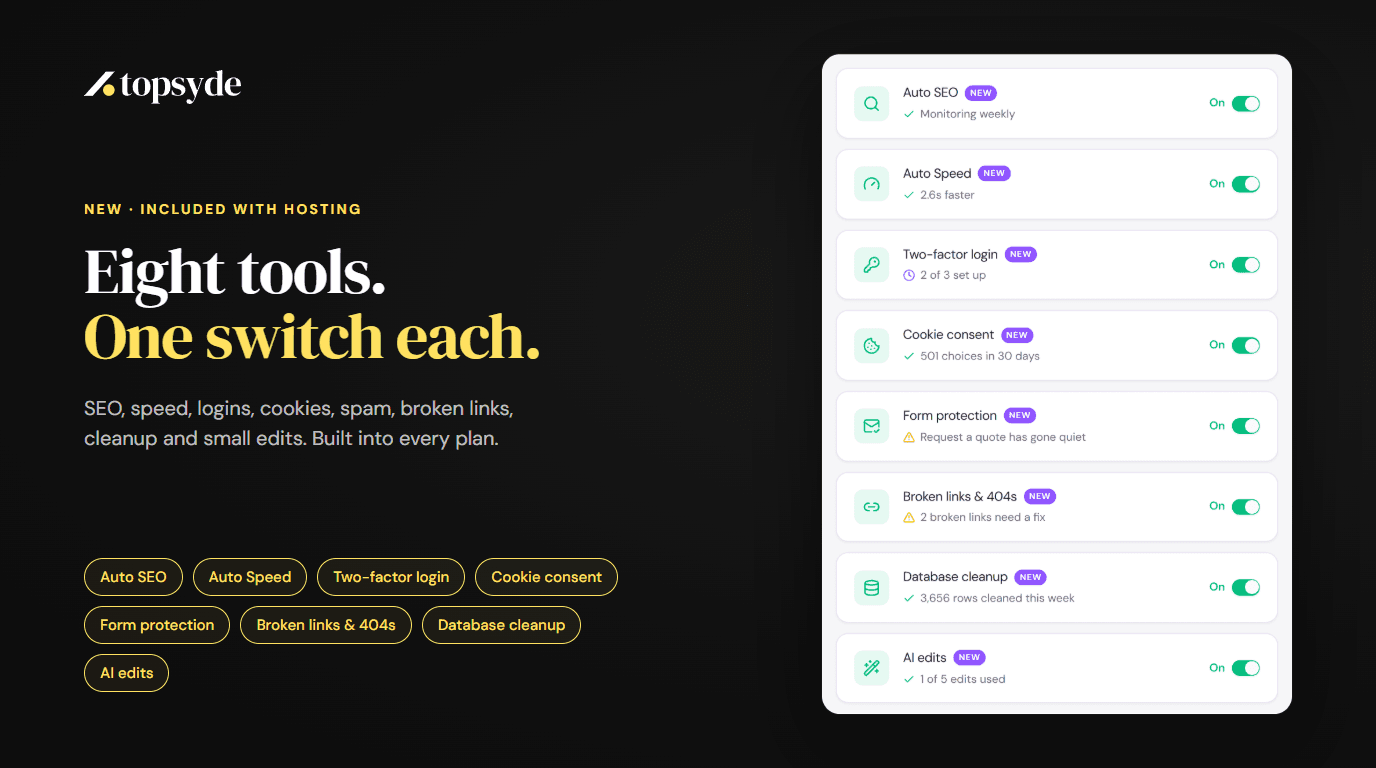
Every tool is a switch on your site's Dashboard tab in the TopSyde portal. Every switch is off until you turn it on. All eight are included in every plan at no extra cost.
The eight, and what each one does
Auto SEO
Every week, Auto SEO checks your site for technical SEO problems and fixes the ones it safely can: missing or weak page titles and meta descriptions, image alt text, heading and template issues, social previews, and structured data that describes your business using only facts your own pages state. It shows you where each fact came from. It never rewrites your page content, and it never touches canonical tags or robots rules.
How Auto SEO and Auto Speed work · Auto SEO
Auto Speed
Auto Speed tunes your site every week from its real performance data. It makes lighter, properly sized image copies, loads the important picture first, defers what sits below the fold, and fixes supported CSS, JavaScript and font loading issues. Every batch of changes is checked against the pages it touched, and a batch that makes things worse is put back.
How Auto SEO and Auto Speed work · Auto Speed
Two-factor login
Two-factor login asks everyone who can edit your site (administrators, editors, authors, contributors and shop managers) for a second step when they sign in: a code from an authenticator app or by email, plus one-time backup codes. Shop customers and subscribers sign in as before. We install it, enforce it so it keeps running even if someone deactivates it in WordPress, keep it updated, and reset it after checking who's asking when someone loses their phone.
Two-factor login, now one switch · Two-factor login
Cookie consent
Cookie consent adds a fast, accessible banner with equal Accept all and Reject all buttons. By default it asks visitors in Europe first, and one setting asks everyone. Known trackers and embeds wait until they're allowed, and Google tags keep working through Consent Mode v2. It scans your cookies, creates a Cookie Policy page, saves every choice as a receipt in your own database, and a second switch keeps a Privacy Policy page in step with what's on your site. It's a tool, not legal advice.
Cookie consent, built into hosting · Cookie consent
Form protection
Form protection filters spam from your contact forms and comments without CAPTCHA puzzles for your visitors. Nothing it blocks is deleted: it waits 30 days, and one click delivers anything it got wrong. It also watches your forms. If one goes quiet, stops showing on its page, or the site's mail stops sending, the card shows it and our team is alerted.
Form spam protection, included · Form protection
Broken links & 404s
This switch keeps a log of the addresses visitors ask for that don't exist, with no IP addresses, and checks up to 200 of your public pages every week for broken links and images. Each problem comes with a suggested fix: a redirect that only ever answers an address that would otherwise be a 404, or the link corrected in the page. You apply a fix with one click and can undo it.
Broken links and 404s, fixed from the portal · Broken links & 404s
Database cleanup
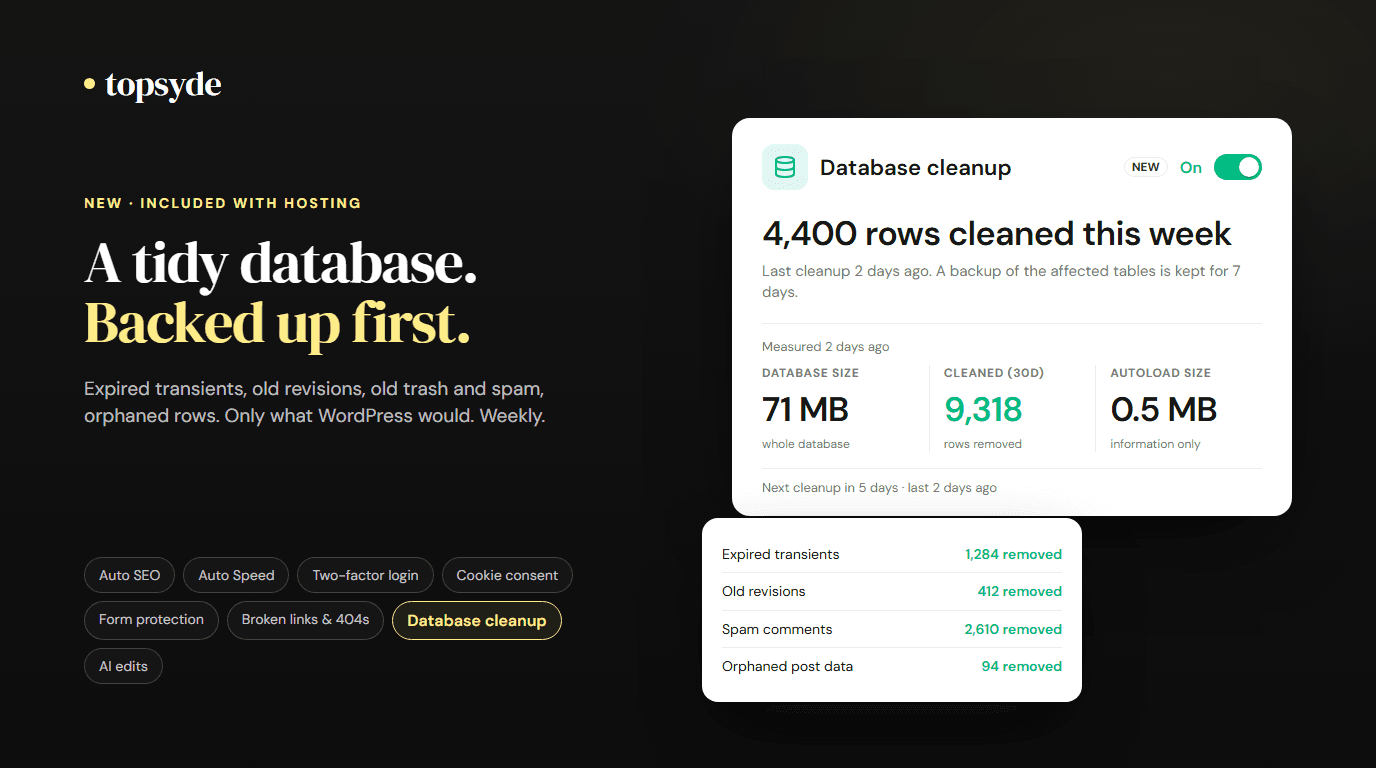
Once a week, overnight, database cleanup removes what WordPress leaves behind: expired transients, old revisions beyond the newest 10 per post, stale auto-drafts, old trash and spam, and orphaned rows. That's the whole list. Settings, users, orders, form entries, media and plugin tables are never touched, and a verified copy of the affected tables is kept for 7 days before anything goes.
A weekly database cleanup · Database cleanup
AI edits
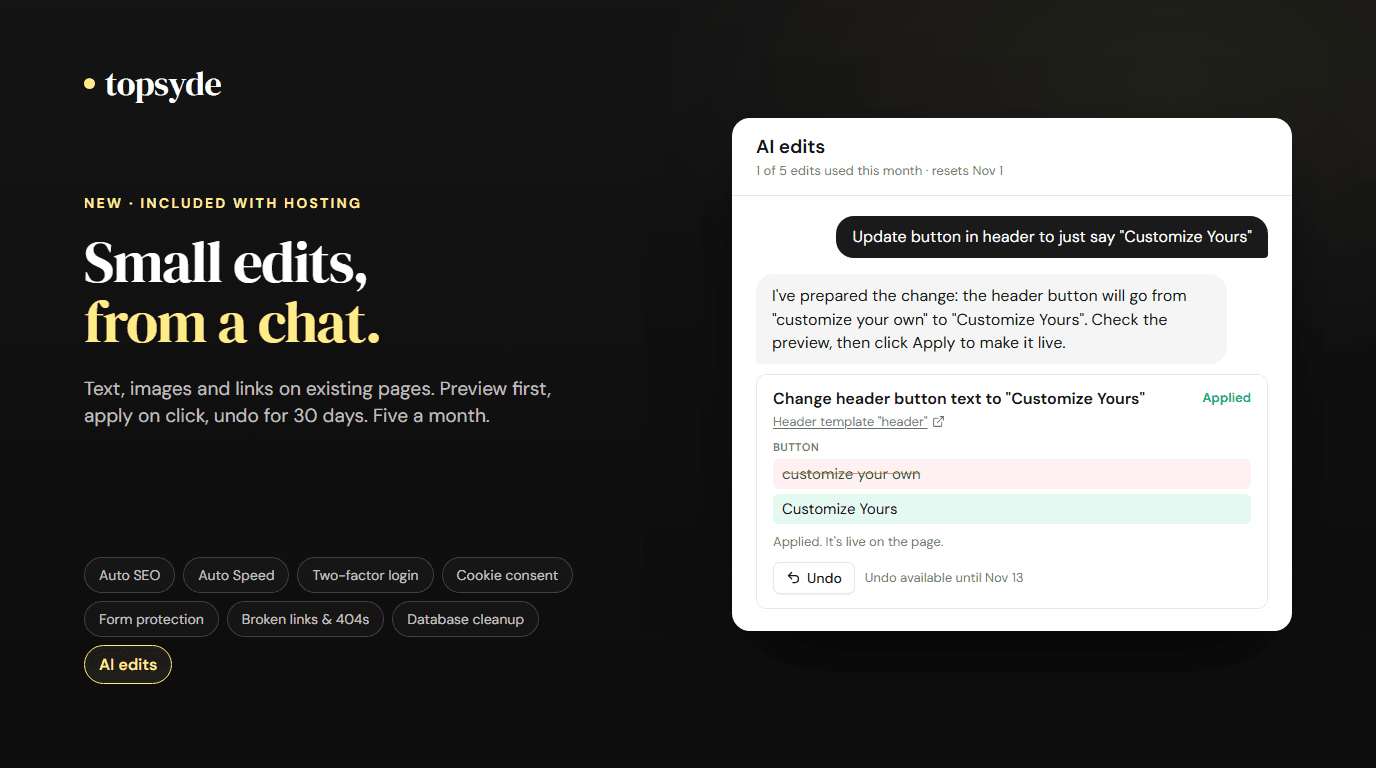
AI edits is a chat for the small changes you'd otherwise wait on a developer for. Ask in plain words to change text, swap an image or point a link at another page, on pages, posts, your header and footer, menus, widgets or the site title. It shows a before and after, changes nothing until you click Apply, and every edit can be undone for 30 days. Ten edits a month per site are included, one for each change you apply. Anything bigger becomes a ticket to our team, prefilled from the chat.
AI edits, included with hosting · AI edits
What they replace, and what that costs
The paid plans of the plugins these tools replace list at $745+ a year per site (checked 14 October 2026):
- Yoast SEO Premium, $118.80 a year
- WP Rocket, $59.95 a year
- Wordfence Premium, $149 a year
- CookieYes Pro, $250 a year
- Akismet Pro, $119.40 a year
- WP-Optimize Premium, $49 a year
Redirection and Broken Link Checker are free, so they add nothing, and AI edits replaces no plugin. Several of these plugins also have free versions that cover part of the job, so what you save on licences depends on what your site runs today. What you get back either way is the setup, the updates, the renewals, and someone watching each tool's work.
All eight come with every TopSyde plan, from $89 per site per month, alongside daily backups, malware cleanup and 36 premium plugin licences. See the plugin-stack figure on our pricing for the full breakdown.
How turning one on works
Open a site in the portal and go to its Dashboard tab. Each tool has a card with a switch. The first time you turn one on, you agree to a short set of terms for that tool, and it starts on its own. From then on the card shows what it has done, what's waiting for you, and when it runs next.
You can turn any tool off at any time. Auto SEO and Auto Speed keep a history of every change and can roll back their work. Broken-link fixes and AI edits each have their own undo.
If you're replacing a plugin that does the same job, tell us. We'll check what else that plugin was doing before it's removed, so nothing you rely on goes with it.
What they don't do
- No promised rankings or scores. Auto SEO and Auto Speed do the technical work and check it. Rankings and PageSpeed scores depend on more than the site's code.
- No legal sign-off. Cookie consent and the Privacy Policy page give you the mechanics privacy rules expect. They don't make a site compliant on their own.
- No guaranteed delivery. Form protection filters spam and catches broken forms sooner, but delivery still depends on the site's mailer.
- No new pages or redesigns. AI edits changes what's already there. New pages, layouts and design work go to our team.
- Nothing outside its list. Database cleanup removes the fixed list above and nothing else.
Where to start
If you're not sure which switches to turn on first, we'd usually start with two-factor login and form protection. They protect the site and its leads, and neither changes how the site looks. Then Auto SEO and Auto Speed for the weekly tune-up, broken links & 404s once the log has a few days of data, and cookie consent if your site runs analytics or ads. Database cleanup can run in the background on any site. AI edits is there whenever you need a small change.
Reply to any of our emails or open a ticket, and we'll tell you which ones we'd pick for your site.
Frequently Asked Questions
Do the eight tools cost extra?
No. All eight are included in every TopSyde hosting plan, from $89 per site per month. AI edits includes ten edits a month per site.
Are they on by default?
No. Every switch is off until you turn it on, so nothing changes on your site until you decide.
Can I turn a tool off later?
Yes, at any time, from the same switch. Tools that change your site keep a history and can undo their work.
Do I still need my SEO, speed or spam plugins?
Often not, but it depends on the site. Some plugins do more than the job a tool replaces, so we check what each one is doing before it's removed.
Where do I see what a tool has done?
On its card on the site's Dashboard tab. Each card shows its latest results, what's waiting for you, and a link to the full details.
Want the plugin housekeeping off your plate? See every plan, try the live demo with no account, or get started and we'll move your site for free.

Founder & Lead Developer
20+ years full-stack development, WordPress, AI tools & agents
Colton is the founder of TopSyde with 20+ years of full-stack development experience spanning WordPress, cloud infrastructure, and AI-powered tooling. He specializes in performance optimization, server architecture, and building AI agents for automated site management.